Skip to content
BlueCollarStacks

Best Plumbing Software for Small Plumbing Businesses

Housecall Pro is the best fit for most residential plumbing shops. Workiz suits shops that live on emergency calls, and Service Fusion makes sense once truck stock and headcount grow.

By BlueCollarStacks EditorialUpdated

We may earn a commission from links on this page. How we make money

The short answer

Our pick

Housecall Pro is the best fit for most plumbing shops with 1 to 8 trucks.

It's quick to set up, prices are published, techs learn it fast, and option-based estimates suit water heater and repipe jobs. If most of your revenue comes from emergency calls and you want call tracking built in, look at Workiz. If truck stock is costing you money, Service Fusion's inventory add-on is the better answer.

Housecall Pro logo

Housecall Pro

Owner-operators who sell

From $59/mo billed annually

14-day free trial · checked Oct 18, 2026

Plumbing software has a harder job than most. It has to dispatch a burst-pipe call at 11 p.m., charge the after-hours rate without the tech remembering to, keep track of what's actually on each truck, and hold the sewer camera footage that sells a line replacement. This page covers the three tools we'd shortlist for a 1 to 15 truck residential plumbing shop, what they cost as of October 2026, and how to choose by size. For other trades and general tools, see our guide to software for contractors and trades.

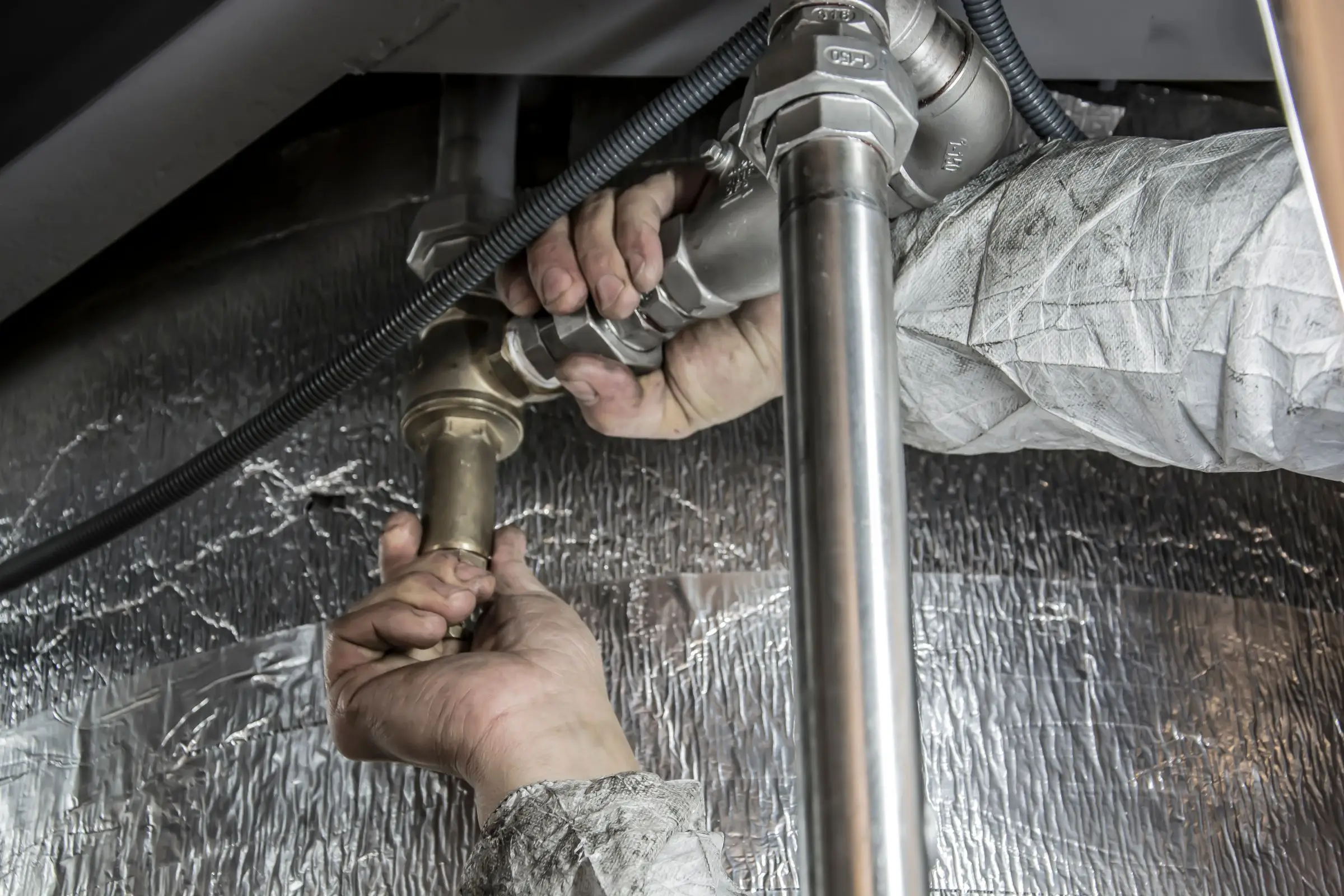
Plumber's hands tightening a brass fitting on steel water pipes under insulated ductwork
Photo: Anıl Karakaya / Pexels

What plumbing software has to handle

Emergency dispatch that works at 2 a.m.

A slab leak or a backed-up main doesn't wait for business hours. The software needs an on-call schedule, a way for after-hours calls to reach whoever's on call, and a dispatch board that shows the closest available tech. When the office comes in at 7, every overnight call should already be a job with notes and photos, not a voicemail and a scribbled address.

After-hours rates that apply themselves

If the tech has to remember to add the after-hours or weekend surcharge, it gets forgotten, usually on the busiest nights. Look for job types or pricebook items that add the right trip charge and labor rate based on the time the job was booked or started. Check that the rate prints clearly on the invoice so the homeowner knows why the bill is higher.

Truck stock you can actually count

Most plumbing shops lose money on parts nobody billed for. Good software tracks stock by truck, pulls a part off that truck's count when it goes on an invoice, and builds a restock list for the supply house run. Many general field service apps treat parts as a price list only. If you carry more than a few thousand dollars of stock per van, this matters.

Camera footage attached to the job

Sewer and drain camera inspections sell line repairs and replacements, and they protect you when a customer disputes a recommendation. You need photos and video clips attached to the job and the estimate, viewable by the homeowner, and stored where the next tech can find them. Ask about file size limits before you rely on the app for inspection video.

Water heater quotes with options

Water heater replacement is a high-volume, repeatable sale: tank or tankless, gas or electric, 40 or 50 gallon, plus expansion tank, pan, venting, permit and haul-away. A good estimate tool lets you build that once as a package with good, better and best options, so every tech quotes it the same way and nobody forgets the code-required parts.

Top 3 plumbing picks

Ranked by fit for this buyer. Prices from vendor pricing pages, checked Oct 18, 2026.

  1. Housecall Pro logo

    1.Housecall ProTop pick

    Best for most plumbing shops

    From $59/mo

    billed annually

    4.1out of 5
  2. Workiz logo

    2.Workiz

    Best for emergency call volume

    Quote only

    price on request

    3.8out of 5
  3. Service Fusion logo

    3.Service Fusion

    Best for truck stock and growth

    From $208/mo

    billed annually

    3.9out of 5

Plumbing software by job

Detailed picks for each job your office handles.

Our picks, in detail

Housecall Pro logo

Our pickBest for most plumbing shops

Housecall Pro

Strong marketing tools and a fast mobile app

4.1out of 5

Housecall Pro gets a plumbing shop running fast: a dispatch board the office can rearrange when an emergency comes in, estimates with good, better and best options, photo attachments on every job, on-site card payments and Wisetack consumer financing for big tickets like repipes and sewer lines (Housecall Pro's help docs list eligible jobs from $500 to $25,000). As of October 2026, Essentials is $149/mo billed annually for up to 5 users and MAX is $299/mo billed annually for up to 8, with extra MAX users at $35/mo. Most plumbing shops can stay on Essentials unless they sell drain or water heater maintenance plans, which are included on MAX. Its weak spot for plumbers is inventory: per-truck stock tracking is not something it does well.

What we like

  • Published pricing and a 14-day trial with no credit card
  • Option-based estimates fit water heater and repipe jobs
  • Financing can be offered right on the estimate

Watch out for

  • No real per-truck inventory tracking
  • Owners commonly report uneven support response times
  • Service plans and advanced reporting sit on the MAX tier
Workiz logo

Best for emergency call volume

Workiz

Built-in phones and call tracking for on-demand service work

3.8out of 5

Workiz grew up serving on-demand trades like locksmiths and garage door companies, and that DNA fits plumbing shops that run on emergency calls. Its strength is tying the phone to the job: call tracking shows which ad made the phone ring, and the phone, answering and marketing tools (Genius Phone, Genius Answering, Genius Marketing) are sold separately. It also lists inventory and job costing among its features. The drawback is price transparency. Workiz moved to quote-only pricing in 2026, so you'll need a sales call, and owners commonly report that the phone and AI answering features cost extra on top of the base plan. The free trial is 7 days with no credit card, which is short for a plumbing shop, so line up a busy week to try it.

What we like

  • Call tracking ties each phone call to a booked job
  • Built around fast, on-demand dispatch
  • Inventory and job costing listed as features

Watch out for

  • Quote-only pricing since 2026
  • Phone, answering and marketing tools are paid extras
  • Owners report occasional mobile app sync glitches
Service Fusion logo

Best for truck stock and growth

Service Fusion

Flat monthly price with unlimited users

3.9out of 5

Service Fusion charges a flat monthly price with unlimited users, which changes the math once you have eight or more trucks plus office staff. As of October 2026, Starter is $208/mo, Plus $325/mo and Pro $533/mo, all billed annually. For plumbers the useful add-on is Inventory Management at $50/mo, which lets you track parts by truck instead of guessing what's in the van. Job Costing ($60/mo) and Service Agreements ($149/mo) are also add-ons. Owners commonly describe the interface and mobile app as dated and say setup takes real time, so budget a slow month to build it out. If you run 3 trucks, the unlimited-user pricing doesn't save you much yet.

What we like

  • Unlimited users on every plan
  • Inventory add-on for per-truck stock at $50/mo
  • Published plan and add-on prices

Watch out for

  • Interface and mobile app feel dated
  • Job costing, inventory and agreements cost extra on lower tiers
  • Setup has a learning curve

What makes plumbing software different

Plumbing is two businesses under one roof: emergency service that has to move fast, and planned replacements that have to sell well. Generic job software tends to handle the planned side and struggle with the emergency side. A burst supply line at 10 p.m. needs to go from a phone call to a dispatched tech in minutes, with the address, the customer's history and the after-hours rate already on the job. If the on-call tech is digging through texts to find the address, the software isn't doing its job.

Parts are the second big difference. A plumbing van carries a lot of stock: fittings, valves, cartridges, wax rings, water heater parts, sometimes a spare heater. Most shops leak margin through parts that went into a job and never made it onto the invoice. Software that only knows a price list can't tell you what's on truck 3 or what to pick up at the supply house tomorrow morning. If your stock per van is significant, inventory by truck should be on your must-have list, and it's the feature that most separates the plumbing-ready tools from the general ones.

Then there's documentation. Drain and sewer camera footage is how you justify a sewer line replacement to a skeptical homeowner (or their spouse, who wasn't home). Photos of a corroded water heater, a failed PRV or a cracked cleanout make estimates easier to approve and warranty disputes easier to win. The software has to attach photos and video to jobs and estimates, let the homeowner see them, and keep them findable a year later when that customer calls back.

Finally, plumbing estimates repeat. Water heater swaps, toilet replacements, disposal installs, PRVs, softeners. Every one of them can be a saved package with options and the code-required extras built in, so the newest tech quotes it the same way the owner would.

How to choose by shop size

One truck

You need to answer the phone, quote on the spot, get paid before you leave and not lose track of callbacks. Housecall Pro Basic ($59/mo billed annually) or Jobber Core ($29/mo billed annually) covers it. ServiceM8 is worth a look if you're on an iPhone: its free plan includes 30 jobs a month and Starter is $29/mo for 50 jobs with unlimited users, though owners report Android support is weaker. Don't worry about inventory software yet. A weekly count of your van on a clipboard is fine at this size.

Two to five trucks

Now you have an on-call rotation, somebody answering phones, and parts going out the door you can't see. Housecall Pro Essentials at $149/mo billed annually (up to 5 users) handles dispatch, estimates and payments for most shops this size. If you're mostly emergency work and spend real money on ads, get a Workiz quote and compare what call tracking would show you. Start thinking about inventory here: if you can't say within a few hundred dollars what's on each truck, that's costing you.

Six to fifteen-plus trucks

This is where per-user pricing starts to hurt and inventory becomes a must. Service Fusion's flat pricing with unlimited users (Plus at $325/mo billed annually, with inventory included) looks good next to per-seat plans at 12 or more users. Housecall Pro MAX with 12 users is about $439/mo. ServiceTitan comes into play for shops with a call center and a dedicated replacement sales process, at third-party estimates of $245 to $500 per tech per month (not published by the vendor).

What plumbing software costs

Prices are as of October 2026, from vendor pricing pages unless marked as third-party.

Shop Option Monthly software cost
1 truck Jobber Core $29/mo billed annually
1 truck Housecall Pro Basic $59/mo billed annually
1 truck ServiceM8 Starter (50 jobs/mo) $29/mo
5 users Housecall Pro Essentials $149/mo billed annually
5 users Service Fusion Starter + Inventory $208 + $50 = $258/mo (Starter billed annually)
12 users Housecall Pro MAX + 4 users about $439/mo
12 users Service Fusion Plus (inventory included) $325/mo (Plus billed annually)
12 techs ServiceTitan Quote only; third-party estimates near $2,900 to $6,000/mo
Any Workiz Quote only since 2026

Card processing is often bigger than the subscription. Say you do $50,000 a month in card payments. At Jobber's 2.9% + 30¢ that's $1,450 plus 30 cents per payment; Housecall Pro lists card rates from 2.59%, at least $1,295. On a hypothetical $6,000 sewer line replacement, a card payment at 2.9% costs $174 and an ACH bank payment at 1% costs $60. Offering ACH or financing on big jobs is worth setting up on day one.

Watch job-based pricing if you do lots of small calls. ServiceM8's plans cap jobs per month (Growing is $79/mo for 150 jobs), so a busy drain-cleaning shop can outgrow a tier fast.

Common mistakes when switching plumbing software

Going live during a freeze. Frozen and burst pipes bury plumbing shops in January in much of the country, and spring thaw brings its own wave. Pick a slower stretch for your area, and give yourself two weeks of overlap where the old system stays readable.

Leaving photos and camera footage behind. Most exports move customers, jobs and invoices. Attachments often don't come along, or come as a giant unsorted zip file. Ask how attachments migrate, and download anything you might need for warranty or dispute purposes before you cancel the old account.

Turning on inventory without a starting count. Inventory software is only as good as the first count. Count every truck and the shop shelf on the same day you go live, and set a weekly restock routine so counts stay honest.

Rebuilding after-hours pricing from memory. Write down every trip charge, after-hours rate, weekend rate and holiday rate you charge today, then build them as separate items in the new system. Shops that skip this end up undercharging on-call work for months.

Forgetting the on-call tech's phone. Test the after-hours call flow end to end before go-live: customer calls, call reaches the on-call tech, job gets created, tech gets directions and the right rate. Do it on a Tuesday afternoon, not at midnight with a real flood.

Paying for a call center tool you won't staff. Big platforms sell call booking and marketing dashboards that assume a CSR is sitting there. If your office is one person who also does payroll, buy the simpler tool and spend the difference on a good answering service.
More plumbing software reviews

Free tools and guides

Software categories

Questions owners ask

What is the best software for a small plumbing business?

For most residential shops with 1 to 8 trucks, we'd pick Housecall Pro: published prices, quick setup, option-based estimates and on-the-spot financing. Shops that are mostly emergency service should look at Workiz for its call tracking. Shops with 8 or more trucks and real parts inventory should look at Service Fusion, which charges a flat price for unlimited users and sells inventory as a $50/mo add-on.

How much does plumbing software cost?

As of October 2026, a one-truck plumber can start on Jobber Core at $29/mo or Housecall Pro Basic at $59/mo, both billed annually. A five-person shop on Housecall Pro Essentials pays $149/mo billed annually. Service Fusion runs $208 to $533/mo billed annually with unlimited users. Card processing usually costs more than the software, so compare those rates too.

Can plumbing software track inventory on each truck?

Some can. Service Fusion sells an Inventory Management add-on at $50/mo, and Workiz, ServiceTitan and FieldEdge list inventory among their features. Jobber and Housecall Pro handle parts mostly as a price list, which is fine for a one-truck shop but won't tell you what's on each van. If inventory is the main reason you're switching, ask for a demo of the restock workflow.

Is ServiceTitan good for plumbers?

It's strong for larger residential plumbing shops with a call center, dispatchers and a sales process for big jobs. It's quote-only, and third-party estimates put it around $245 to $500 per technician per month plus implementation in the thousands, with annual contracts. For a shop under about 8 to 10 trucks, the cost and setup time usually outweigh what you'd use.

How should plumbers handle after-hours pricing in software?

Set it up as separate job types or pricebook items, such as an after-hours trip charge and an after-hours labor rate, rather than relying on techs to apply a percentage. Then make the on-call tech's mobile view default to those items for calls booked outside business hours. Review a week of after-hours invoices after go-live to confirm nothing slipped through.