Skip to content
BlueCollarStacks

Best Construction Management Software for Small GCs

Contractor Foreman is the best construction management software for most small GCs on price and breadth. Buildertrend suits client-facing residential builders, and Knowify suits job-costing-heavy commercial work.

By BlueCollarStacks EditorialUpdated

We may earn a commission from links on this page. How we make money

The short answer

Our pick

Contractor Foreman is the best fit for most small general contractors.

It covers change orders, daily logs, bids, subcontracts, job costing and scheduling for $49 to $332 a month billed annually, a fraction of what bigger platforms charge. Residential builders who live in client selections and portals should price Buildertrend, and commercial GCs billing in AIA-style progress payments should look at Knowify.

Contractor Foreman logo

Contractor Foreman

Small GCs on a budget

From $49/mo billed annually

30-day free trial · checked Oct 18, 2026

A small general contractor's software has to do what a service app never does: hold a budget for a six-month job, track every change order against it, bill in draws, and keep a dozen subs pointed at the right week. This page covers what construction management software needs to handle for a GC running 2 to 15 jobs at once, the three platforms we'd shortlist, and what they cost. It's part of our guide to software for contractors and trades, which also covers estimating, CRM and accounting for every trade.

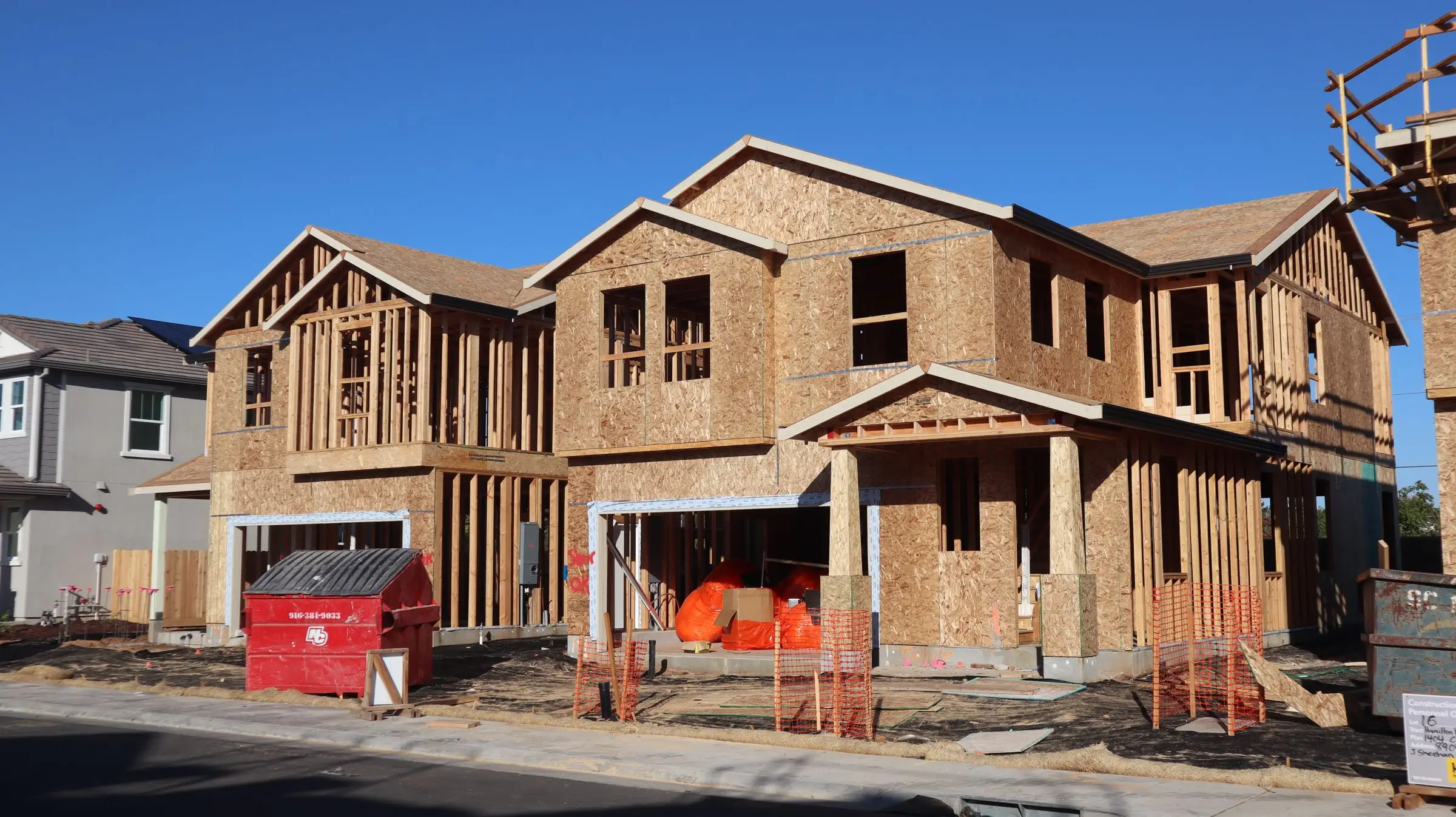
Wood-framed two-story homes under construction with OSB sheathing and a dumpster out front
Photo: D Goug / Pexels

What general contractor software has to handle

Change orders that move the budget

On a remodel or ground-up job, change orders are where profit is made or lost. You need a CO that the client signs before the work happens, and that automatically updates the contract value, the budget and the next draw. If the CO lives in a PDF and the budget lives in a spreadsheet, someone will forget to bill for it.

Draw schedules and progress billing

GCs bill in stages: a deposit, then draws at framing, rough-ins, drywall and completion, or monthly percent-complete billing against a schedule of values on commercial work. Your software should generate each draw from the contract and approved changes, track retainage if you're held to it, and show what's been billed versus what's been paid.

Subcontractor coordination

A GC's schedule is really a list of subs. You need to send bid requests, turn awarded bids into subcontracts or purchase orders, share the schedule with each sub, and track their insurance certificates and lien waivers. When the drywall crew slips three days, everyone downstream should see it without five phone calls.

Budgets versus actuals by cost code

Knowing a job is over budget at closeout is too late. Good construction software tracks committed costs (subcontracts, POs) and actual costs (bills, labor) against the budget by cost code while the job is running, so you see the framing overrun in week four instead of week twenty. Committed costs matter most, since a signed sub contract is money already spent.

Daily logs that hold up in a dispute

Daily logs record weather, crew counts, deliveries, inspections, delays and photos. They feel like busywork until a client disputes a delay charge or a sub claims they were on site. A log entered from a phone on site, with timestamps and photos, is the record that settles it. It also shows inspectors and lenders a steady history of the job.

Top 3 general contractor picks

Ranked by fit for this buyer. Prices from vendor pricing pages, checked Oct 18, 2026.

  1. Contractor Foreman logo

    1.Contractor ForemanTop pick

    Best overall for small GCs

    From $49/mo

    billed annually

    4.1out of 5
  2. Buildertrend logo

    2.Buildertrend

    Best for residential builders

    From $499/mo

    billed monthly

    4.0out of 5
  3. Knowify logo

    3.Knowify

    Best for job costing and draws

    From $99/mo

    billed annually

    3.9out of 5

General contractor software by job

Detailed picks for each job your office handles.

Our picks, in detail

Contractor Foreman logo

Our pickBest overall for small GCs

Contractor Foreman

A lot of construction software for not much money

4.1out of 5

Contractor Foreman packs most of what a GC needs into one subscription at a price small shops can carry. Change orders can bundle several requests into one CO, collect e-signatures, and update the contract amount and budget automatically when approved, so job costing tracks original and revised numbers. Daily logs, bids that convert into subcontracts or purchase orders, scheduling, time cards and a client portal are all in the box. As of October 2026, plans run from Basic at $49/mo (one user, annual only) through Plus at $166/mo billed annually for eight users and Pro at $221/mo for fifteen users, with free setup on Pro and Unlimited. There's a 30-day trial and a 100-day money-back guarantee on annual Plus and above. Owners commonly report the interface feels busy because there are so many modules.

What we like

  • Change orders update contract and budget automatically
  • Daily logs, subcontracts and POs included
  • Low published prices with user caps, not per-seat fees
  • ACH fees capped at $10 per payment

Watch out for

  • Busy interface with a lot to configure
  • Mobile app can be slow, owners report
Buildertrend logo

Best for residential builders

Buildertrend

Full project management for builders and remodelers

4.0out of 5

Buildertrend is the platform built around the homeowner relationship on long residential jobs. Budgets, change orders, selections, schedules and a client portal live in one place, so a custom home or major renovation client can see progress, approve changes and pick finishes without a weekly phone call. Unlimited users means subs, project managers and office staff all get access without seat math. As of October 2026, Buildertrend sells a single platform starting at $499/mo, with 10% off when paid annually upfront, and the final price depends on the onboarding package you choose. There's no free trial. Owners commonly report a steep learning curve and say the monthly cost is hard to justify for a GC running only a few jobs a year.

What we like

  • Client portal, selections and change orders in one place
  • Unlimited users and projects
  • Built for multi-month residential jobs

Watch out for

  • Starts at $499/mo before onboarding
  • No free trial
  • Steep learning curve
Knowify logo

Best for job costing and draws

Knowify

Job costing and AIA billing for commercial subs

3.9out of 5

Knowify is built around the money side of construction: job costing, AIA-style progress billing and a tight QuickBooks connection. If your pain is billing draws accurately against a schedule of values and knowing where each job stands on cost, it fits better than a project-management-first tool. It started with subcontractors (electrical, mechanical, plumbing), so it handles commercial billing patterns well. As of October 2026, Core is listed at $99 to $149/mo for one user depending on billing term, Advanced is $329 to $399/mo for ten users, and extra users are $29/mo each. Knowify's page doesn't label which figure is monthly versus yearly, so confirm before you sign. Owners commonly report a learning curve setting up job costing and a steep price jump from Core to Advanced.

What we like

  • AIA-style progress billing
  • Job costing with QuickBooks integration
  • Onboarding sessions included on every plan

Watch out for

  • Big jump from Core to Advanced
  • Mobile app is lighter than desktop
  • No client portal listed

What makes construction management software different

Service trades run on short jobs: a call comes in, a tech goes out, an invoice goes out the same day. A general contractor runs on long jobs with a lot of money in motion. A $300,000 renovation might run four months, involve eight subs, generate fifteen change orders and get billed in six draws. The software has to hold that whole picture together.

That's why GC software looks different. The center of it is the job budget, not the schedule. Every subcontract and purchase order is a committed cost against a line in that budget. Every approved change order adjusts both the contract value and the budget. Every draw bills a percentage of the revised contract. If those pieces don't talk to each other, you end up with an estimate in one place, a budget in a spreadsheet, change orders in email and draws in QuickBooks, and nobody knows whether the job is making money until it's over.

The second difference is coordination. A GC doesn't swing most of the hammers. The schedule is a sequence of subs, inspections and deliveries, and one slip pushes everything behind it. Construction software shares that schedule with the people who need it and keeps a paper trail of who was on site and what happened, through daily logs.

The third is the client. Residential clients on long jobs want to see progress, pick finishes and approve changes without a meeting. Commercial clients want draws formatted a certain way, often AIA G702/G703 style, with retainage. Different platforms lean toward one of those clients or the other, which is the biggest single factor in choosing.

Choosing by company size

Owner-operator GC

If you're running two or three jobs at a time and doing much of the work yourself, you need estimates, change orders and invoicing more than you need sub portals. Contractor Foreman Basic at $49/mo (one user, billed annually as of October 2026) or Standard at $105/mo billed annually for up to three users covers that. Joist at $8.34 to $58.33/mo billed annually is cheaper for quoting but runs out of road once you need budgets. Buildertrend's $499/mo starting price is hard to justify here.

2 to 5 people

With a project manager or office person, you'll want daily logs from the field, shared schedules with subs and a real budget-versus-actual report. Contractor Foreman Plus at $166/mo billed annually for up to eight users fits most GCs at this size. If your work is commercial and your headaches are draws and retainage, Knowify Advanced at $329 to $399/mo for ten users is the better match. Residential builders whose clients expect a portal should price Buildertrend here.

6 to 15+ people

At this size you're running several PMs and maybe a superintendent or two, and the value of one shared system grows. Buildertrend's unlimited users mean the starting price doesn't climb with headcount. Contractor Foreman Pro is $221/mo billed annually for fifteen users with free setup, and Unlimited is $332/mo. Knowify at fifteen users means Advanced plus five extra users at $29/mo each.

What construction management software costs

Published prices as of October 2026. Contractor Foreman figures are billed annually; monthly billing costs more.

Company size Contractor Foreman Knowify Buildertrend
1 user $49/mo (Basic, annual only) $99 to $149/mo (Core) from $499/mo
5 users $166/mo (Plus, up to 8 users) $329 to $399/mo (Advanced, 10 users) from $499/mo (unlimited users)
15 users $221/mo (Pro, up to 15 users) Advanced + 5 users at $29/mo each from $499/mo (unlimited users)

The plan price is only part of it. Buildertrend's final quote depends on the onboarding package, which isn't priced publicly, and paying annually upfront saves 10%. Knowify includes one, three or five onboarding sessions depending on plan. Contractor Foreman includes free setup on Pro and Unlimited.

Payment processing matters more for GCs than for most trades because draws are large. Contractor Foreman charges 2.9% + 30¢ for Visa, Mastercard and Discover, 3.9% + 30¢ for Amex, and 1% + 30¢ for ACH, capped at $10. On a $60,000 draw, card processing would cost about $1,740, while ACH costs $10. Push every draw to ACH.

Budget for accounting and photos too. QuickBooks Online Plus, the tier with project profitability tracking, is $140/mo as of October 2026. CompanyCam for photo documentation starts at $63/mo billed annually for one user, with extra users at $29/mo.

Mistakes GCs make when switching

Moving active jobs mid-stream. Migrating a job that's half built, with open change orders and three draws already billed, is where data gets lost. Start new jobs in the new system and finish existing jobs in the old one. Expect a two- to four-month overlap.

Skipping cost codes. If you don't set up a cost code list before your first budget, every job ends up structured differently and your reports are useless. Spend a day building cost codes that match how you estimate, and map them to QuickBooks before you go live.

Turning on every module at once. Contractor Foreman and Buildertrend both have dozens of features. Start with estimates, change orders, scheduling and daily logs. Add bids, POs, client portals and time tracking once the crew is comfortable. Rolling out everything at once is how teams give up and go back to spreadsheets.

Forgetting the subs. Your software is only as current as the schedule subs see. Before launch, decide which subs get access, what they can see, and how you'll push schedule changes to them. Most subs won't log into another app unless you make it easy.

Not pricing onboarding. Quote-based platforms often price the onboarding separately from the subscription. Ask for the full first-year cost in writing, including onboarding, payment processing and any add-ons, before you sign an annual contract.
More general contractor software reviews

Software categories

Questions owners ask

What is the best construction management software for a small general contractor?

For most GCs running a handful of residential or light commercial jobs, Contractor Foreman offers the most features for the money, from $49/mo billed annually as of October 2026. Buildertrend is stronger for client-facing residential builders who need selections and portals, starting at $499/mo. Knowify fits GCs who mainly need job costing and AIA-style progress billing.

How much does construction management software cost for a small GC?

As of October 2026, a five-person GC pays about $166/mo on Contractor Foreman Plus billed annually, $329 to $399/mo on Knowify Advanced, or from $499/mo on Buildertrend before onboarding. Add accounting on top: QuickBooks Online Plus, the tier with project profitability, is $140/mo. Payment processing and photo tools like CompanyCam are extra.

Do I still need QuickBooks if I buy construction software?

Usually, yes. Construction platforms handle budgets, change orders and draws, but your books, payroll and taxes still belong in accounting software. All three picks sync with QuickBooks. Plan to map cost codes to QuickBooks items or classes at setup, or your job costing reports and your accountant's reports will never match.

Is Buildertrend worth it for a small builder?

It depends on job size and how much your clients expect. If you build a few custom homes or large renovations a year with demanding clients, the portal and selections tools can save enough office time to justify $499/mo or more. If you mostly run smaller jobs or commercial work, Contractor Foreman or Knowify cover the core needs for less.

What about CompanyCam or Joist for a GC?

Both are narrower tools. CompanyCam is job-site photo documentation, from $63/mo billed annually for one user as of October 2026, and many GCs run it alongside a project platform. Joist is a phone-based estimate and invoice app from $8.34/mo billed annually. It works for a small handyman-style GC but lacks budgets, draws and sub management.