Skip to content
BlueCollarStacks

Best Software for Fence Companies

Fence Cloud is the best fence company estimating software for shops that bid many styles and need accurate material lists. Jobber suits small residential installers, and Contractor Foreman suits commercial fence work.

By BlueCollarStacks EditorialUpdated

We may earn a commission from links on this page. How we make money

The short answer

Fence Cloud is the best fit for fence companies that live and die by the estimate.

It's built only for fence work, with supplier material catalogs, chain link, wood, vinyl and ornamental estimating, shop drawings and gate cut sheets on every plan, starting at $220/mo. Small residential installers who mostly need quotes, scheduling and payments can start cheaper on Jobber, and commercial fence contractors running project-style jobs should look at Contractor Foreman.

A fence bid is a materials problem dressed up as a sales call. Two hundred linear feet of six-foot cedar privacy with two walk gates and a double drive gate turns into a specific count of posts, rails, pickets, concrete bags, hinges and latches, and miss a few and your margin goes to the supply yard. Fence company estimating software should turn a walked or measured line into that material list and a price. This page covers what fence contractors need, the three tools we'd shortlist, and what they cost as of October 2026. It sits under our guide to software for contractors and trades.

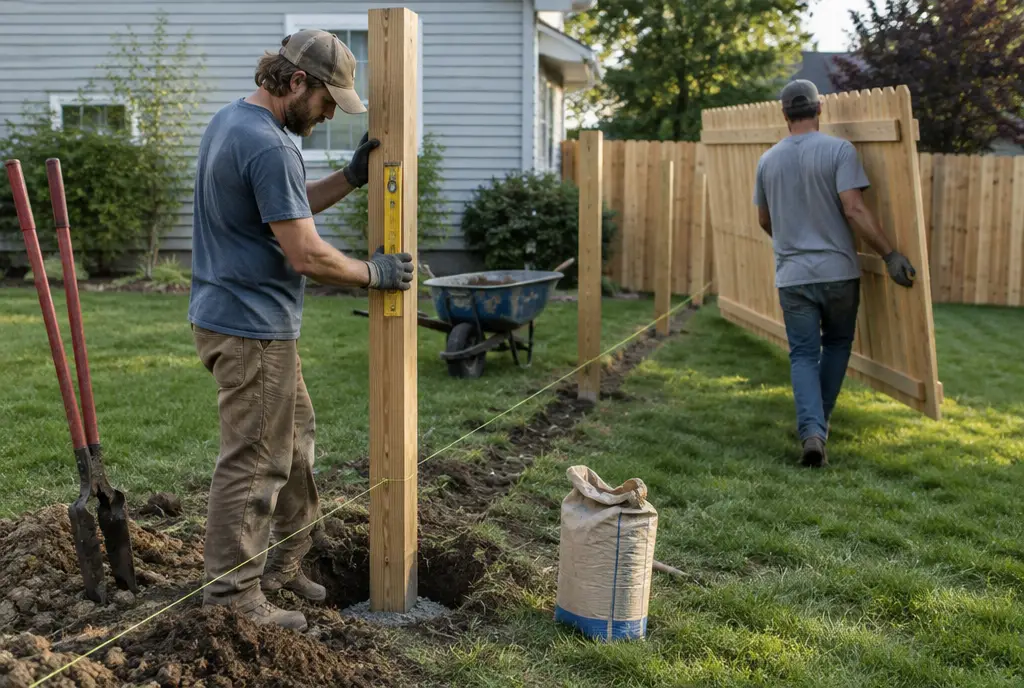
Two installers set a cedar fence post with a level and carry a privacy panel across a suburban backyard
Illustration generated for BlueCollarStacks.

What fence software has to handle

Linear-foot estimates that build a material list

Customers buy fence by the foot, but you buy it by the piece. Good fence software takes run lengths, height and style and calculates posts at your spacing, rails, pickets or panels, concrete, fasteners and caps. Corners, ends and grade changes add posts and labor, so the estimate needs to know where they are, not just the total footage.

Gates, posts and hardware counted separately

Gates are where fence estimates go wrong. A double drive gate needs heavier posts, a drop rod, hinges and a latch, and often a different post depth. Your software should treat each gate as its own item with its own hardware and labor, and count terminal, corner and gate posts apart from line posts.

Supplier prices that stay current

Lumber, vinyl and steel prices move. An estimate built on last spring's cedar price can lose money on every job this fall. Look for material catalogs tied to your suppliers, or at least one place to update unit costs that every new estimate uses, and recheck big bids before you order.

Permits, HOA approvals and utility locates

You can't dig until the 811 locate is done, and the waiting period varies by state. Many jobs also need a permit or HOA approval. Your software should track each of those as a step before the job can be scheduled, with the ticket number and dates on the job, so a crew never shows up to an unmarked yard.

Deposits that cover the material order

Fence materials are often a big share of the contract, and special-order vinyl or ornamental steel can't be returned. Collecting a deposit at signing, through an online quote approval, lets you place the order the same day. Some states limit residential deposits, so check your local rules before setting a percentage.

Top 3 fence picks

Ranked by fit for this buyer. Prices from vendor pricing pages, checked Oct 18, 2026.

  1. 1.Fence CloudTop pick

    Best fence-specific estimator

    From $220/mo (1 to 3 users)

    per vendor

    Not scored
  2. Jobber logo

    2.Jobber

    Best for residential installers

    From $29/mo

    billed annually

    4.1out of 5
  3. Contractor Foreman logo

    3.Contractor Foreman

    Best for commercial fence

    From $49/mo

    billed annually

    4.1out of 5

Fence software by job

Detailed picks for each job your office handles.

Our picks, in detail

Our pickBest fence-specific estimator

Fence Cloud

Fence Cloud is one of the few tools built only for fence contractors, and its estimating is the reason to buy it. You lay out a run and pick the style (chain link, wood, vinyl or ornamental), and Fence Cloud says it calculates the materials from templates based on supplier catalogs. Every plan includes chain link and wood shop drawings, chain link gate cut sheets, multi-style estimating, lead and estimate tracking, calendars, invoices and orders, e-signature and text and email appointment reminders. As of October 2026, Essential is $220/mo for one to three users or $2,200/yr, Professional is $345/mo for four to ten users or $3,450/yr, and Ultimate is $545/mo for eleven to sixteen users or $5,450/yr. That's steep for a solo installer, and payment processing and the crew app aren't described on the pricing page.

What we like

  • Material lists from supplier catalogs
  • Shop drawings and gate cut sheets on every plan
  • All features included at every tier
  • Annual billing saves about two months

Watch out for

  • Starts at $220/mo, high for a one-person shop
  • Payments and crew app details not published
  • No free trial listed on the pricing page
Jobber logo

Best for residential installers

Jobber

The easiest all-rounder for small residential crews

4.1out of 5

If you're a one- or two-crew residential fence company, Jobber handles everything except the material math. Save line items like cedar privacy per linear foot, walk gate, double drive gate, post removal and haul-off, and a quote takes minutes. Clients approve online and can pay a deposit at approval, which covers your material order. Jobs schedule across a crew's week, photos of the property line and existing fence stay on the job, and invoices go out from the truck. As of October 2026, Core is $29/mo billed annually for one user and Connect is $149/mo billed annually for five. The gap is takeoff: Jobber won't calculate posts, rails and pickets from a run length, so you'll keep a spreadsheet or calculator for materials.

What we like

  • Fast per-foot quotes from saved line items
  • Deposits at approval for material orders
  • Low published starting price
  • Good crew scheduling and photos

Watch out for

  • No material takeoff or shop drawings
  • Per-user costs rise as you add crews
Contractor Foreman logo

Best for commercial fence

Contractor Foreman

A lot of construction software for not much money

4.1out of 5

Commercial fence work, like perimeter fencing for a warehouse or a school, looks more like a construction project than a residential install. There are bids from plans, submittals, purchase orders to suppliers, change orders, daily logs and progress billing to a GC. Contractor Foreman covers those for a fraction of what construction platforms charge, and it includes a takeoff tool, job costing and scheduling. As of October 2026, Standard is $105/mo billed annually for up to three users, Plus is $166/mo for up to eight, and Pro is $221/mo for up to fifteen with free setup. ACH payments cost 1% + 30¢, capped at $10. It has no fence-specific material math, and owners commonly report the interface feels busy.

What we like

  • Bids, POs, change orders and daily logs included
  • Takeoff and job costing built in
  • ACH fees capped at $10 per payment

Watch out for

  • No fence-specific material calculations
  • Busy interface with a learning curve

What makes fence software different

Most field service software assumes the labor is the hard part and materials are a line item. In fence work, materials are a big slice of the price, and getting the count right is the whole estimate. A 6-foot wood privacy fence, a 4-foot aluminum pool fence and a 6-foot chain link with privacy slats each have different post spacing, rail counts, panel sizes and hardware. A tool that just multiplies footage by a price won't tell you that the job needs 34 posts and 12 bags of concrete.

That's why fence companies have historically used dedicated estimating software alongside, or instead of, a general field service app. A fence estimator works from run lengths, heights, styles, terrain, corners, ends and gates. The output isn't just a customer price but a material list you can send to the supply yard, a drawing the crew can install from and, for chain link, gate cut sheets for the shop.

The job also has unusual steps before the crew can show up. Utility locates through 811, permits in many towns, HOA approval in many neighborhoods, sometimes a survey to confirm the property line. If any of those slip, the job slips. Fence software should treat them as checkpoints on the job, not as notes someone has to remember.

Then there's the deposit. Special-order materials can't go back, so most fence companies collect a deposit before ordering. Software that takes the deposit at online approval shortens the gap between "yes" and "materials ordered," which matters in spring when every company is fighting for the same install slots.

Choosing by company size

Solo installer or one crew

At this size, price and speed of quoting matter most. Jobber Core at $29/mo billed annually (as of October 2026) handles quotes, deposits, scheduling and invoicing. Keep a materials spreadsheet for each fence style and use it to build your supply order. Fence Cloud's Essential plan at $220/mo, or $2,200/yr, makes sense once estimating errors are costing you more than that each month, which can happen faster than you'd think on vinyl and ornamental jobs.

2 to 5 people

With a salesperson or estimator and a couple of crews, consistency becomes the problem. Two estimators bidding the same yard shouldn't come out $1,500 apart. Fence Cloud's Essential plan covers three users, and Professional covers four to ten at $345/mo or $3,450/yr. If you stay on Jobber, Connect for five users is $149/mo billed annually, but you'll need a shared, locked materials spreadsheet so everyone prices the same way.

6 to 15+ people

Larger fence companies often run residential and commercial divisions. Fence Cloud Ultimate covers up to sixteen users at $545/mo or $5,450/yr, and supports up to ten company profiles. Commercial divisions bidding from plans and billing GCs in progress payments should look at Contractor Foreman Pro, $221/mo billed annually for up to fifteen users, for the project side.

What fence company software costs

Published prices as of October 2026. Fence Cloud annual figures are the yearly price divided by twelve.

Company size Fence Cloud Jobber Contractor Foreman
1 to 3 users $220/mo, or about $183/mo billed yearly $29/mo (Core, 1 user, billed annually) $105/mo (Standard, billed annually)
5 users $345/mo, or about $288/mo billed yearly $149/mo (Connect, billed annually) $166/mo (Plus, billed annually)
15 users $545/mo, or about $454/mo billed yearly $399/mo (Grow, billed annually) $221/mo (Pro, billed annually)

Payment fees are worth planning for, because fence tickets are large. Say you install a $7,500 vinyl privacy fence and the customer pays by card through Jobber at 2.9% + 30¢. That costs about $218. ACH through Jobber at 1% is $75. Contractor Foreman's ACH is 1% + 30¢, capped at $10, so the same payment costs $10. Fence Cloud's pricing page doesn't describe payment processing, so ask during the demo.

If you pair Fence Cloud for estimating with a field service tool for scheduling and payments, add both subscriptions together. For a three-person shop, Fence Cloud Essential billed yearly plus Jobber Connect billed annually is roughly $330/mo.

Mistakes fence companies make when switching

Not rebuilding material formulas first. Your post spacing, concrete per post and waste factor for each style are the core of your pricing. Before you send a quote from a new system, set up and check each style against three or four past jobs where you know the real material usage.

Switching in spring. March through June is when fence companies are busiest selling. Change systems in late fall or winter, when you have time to build catalogs and train estimators.

Leaving supplier prices stale. A new system with last year's prices is worse than your old spreadsheet. Update costs from your current supplier quotes on day one, and schedule a monthly check for lumber and steel.

Skipping the locate and permit steps. If the new software doesn't track 811 tickets and permits, add them as required checklist items on every job. One crew digging before marks are down is an expensive lesson.

Forgetting gate hardware. When building item lists, set up gates as separate items with their own hardware and labor from the start. It's the most common place a new price list leaks money. Check every gate size you sell, from a 4-foot walk gate to a 12-foot double drive, against a recent job before you go live.
Software categories

Questions owners ask

What is the best fence company estimating software?

For fence companies that bid multiple styles and want accurate material lists, Fence Cloud is the most purpose-built option, starting at $220/mo for up to three users as of October 2026. Small residential installers who can do material math in a spreadsheet often get by on Jobber from $29/mo billed annually. Commercial fence contractors should look at Contractor Foreman.

How much does Fence Cloud cost?

As of October 2026, Fence Cloud's Essential plan is $220/mo or $2,200/yr for one to three users, Professional is $345/mo or $3,450/yr for four to ten users, and Ultimate is $545/mo or $5,450/yr for eleven to sixteen users. Every plan includes the full feature set. Companies with more than sixteen users get custom Enterprise pricing by phone.

Can I estimate fences in Jobber?

Yes, by saving line items priced per linear foot for each fence style and height, plus separate items for gates, post removal and haul-off. Jobber won't generate a material list from those quantities, so you'll still need a spreadsheet or calculator to work out posts, rails, pickets and concrete for your supply order.

How should a fence company price per linear foot?

Start from materials and labor for a typical 100-foot run of each style, including posts, concrete and hardware, then divide by footage and add overhead and profit. Price gates, corners, grade changes and removal of old fence as separate line items, because folding them into the per-foot price makes short, complicated jobs lose money.

Do fence companies need to call 811 before digging?

Yes. Every state has a one-call law requiring a utility locate before digging, and 811 is the national number that routes you to your state's center. The required notice period and marking rules vary by state. Record the locate ticket number on the job in your software so crews and the office can confirm it before anyone digs.