Skip to content
BlueCollarStacks

Best Lawn Care Software

Jobber is the best lawn care software for most small mowing and maintenance companies. Service Autopilot suits automation-heavy shops with five or more crews, and Kickserv is the cheap option.

By BlueCollarStacks EditorialUpdated

We may earn a commission from links on this page. How we make money

The short answer

Our pick

Jobber is the best fit for most small lawn care companies.

Recurring visits, batch invoicing and a client hub where homeowners approve add-on quotes cover what a 1 to 10 person mowing company does every week, and the published pricing starts at $29/mo. Shops running five or more crews that want heavy automation should look at Service Autopilot, and tight budgets with simple routes can start on Kickserv.

Jobber logo

Jobber

Small residential crews

From $29/mo billed annually

14-day free trial · checked Oct 18, 2026

Lawn care software has one job that general business apps fumble: running the same 150 or 300 properties every week without someone rebuilding the schedule by hand after every rainstorm. This page covers what mowing and maintenance companies need from a system, the three tools we'd shortlist for a 1 to 25 person lawn company, and what each one costs. It sits inside our wider guide to software for contractors and trades, so if you also do installs, irrigation or snow, the estimating and CRM pages there go deeper.

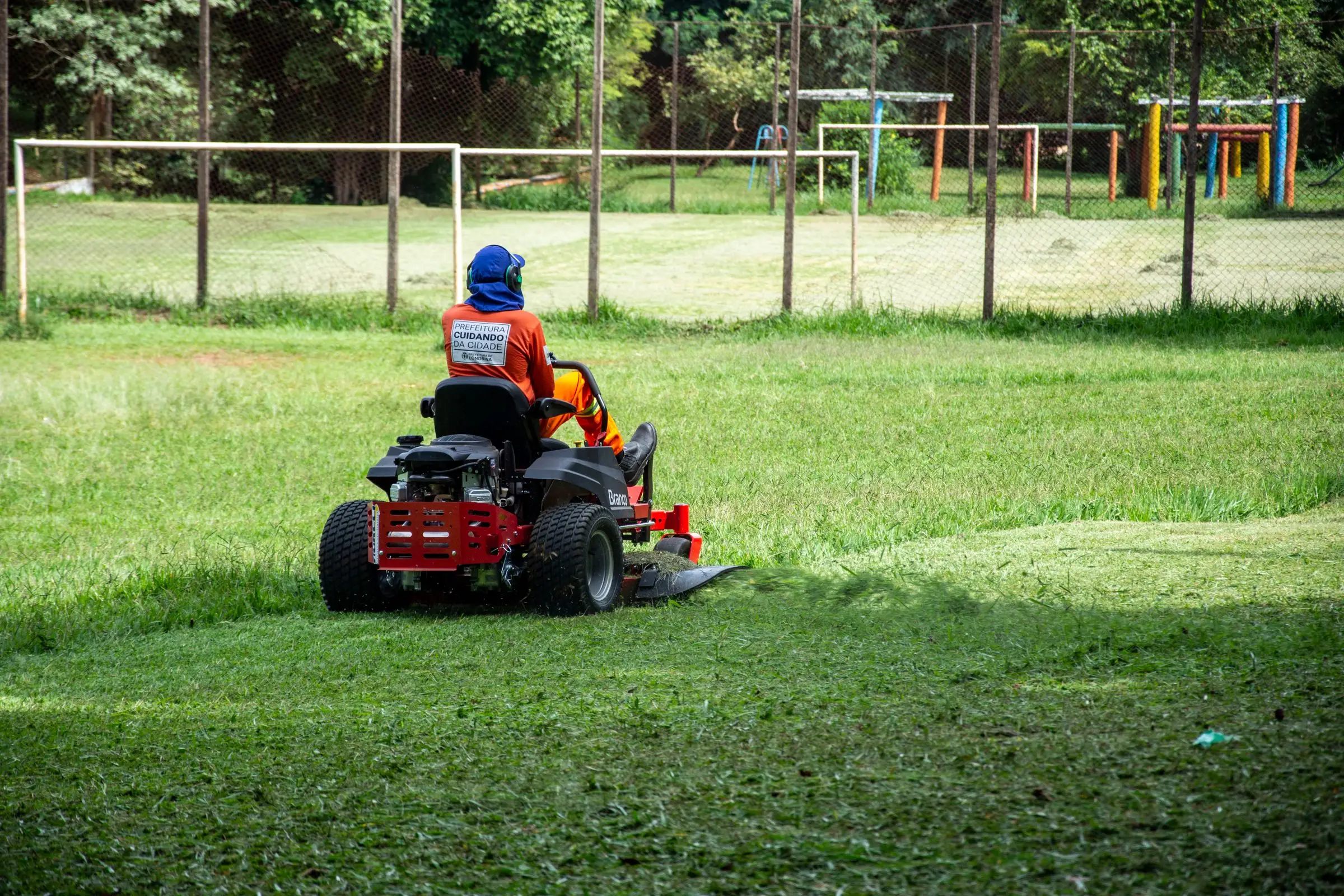
Worker in orange gear and ear protection mowing a large lawn on a red zero-turn mower
Photo: Rodolfo Gaion / Pexels

What lawn care software has to handle

Recurring visits that survive a rain week

A lawn schedule is mostly repeats. You need jobs that recur weekly or biweekly per property and a way to push an entire rained-out day forward without re-entering every stop. Check how the software handles a two-day rain delay: does Thursday's work shift to Friday automatically, or does someone move 40 visits one at a time? That one test separates lawn-ready tools from generic job schedulers.

Route density, not just a map pin

Profit in mowing comes from tight routes. Ten yards on one street beat ten yards spread across town. Good lawn software sorts the day's stops into a sensible driving order and lets you see which customers are outliers worth repricing or dropping. Ask whether optimization is included on your plan or sold as an add-on, because several vendors price mapping separately.

Per-visit and seasonal contract billing side by side

Some customers pay per mow. Others sign a seasonal agreement and pay the same amount every month from March to November, even in weeks you skip. Your software has to handle both on the same route, plus one-off add-ons like aeration, overseeding and leaf cleanup. Batch invoicing and cards on file save hours at month end.

Skip notices and on-my-way texts

Homeowners want to know when the crew is coming and why it didn't come. Automated texts for on-my-way, completed and skipped visits cut the Monday morning phone calls. Check whether texting is included or billed per message, since SMS credits are an extra line item with some vendors. A skip text with the reason, such as rain with a new day, prevents most complaints.

Crew time per property

Knowing that a property was bid at 45 minutes and takes 70 is how you fix underpriced accounts. You want clock-in and clock-out on each visit, not just a start and end to the day, so you can compare budgeted hours against actual hours by property and by crew. That report is what justifies a spring price increase.

Top 3 lawn care picks

Ranked by fit for this buyer. Prices from vendor pricing pages, checked Oct 18, 2026.

  1. Jobber logo

    1.JobberTop pick

    Best overall for lawn crews

    From $29/mo

    billed annually

    4.1out of 5
  2. Service Autopilot logo

    2.Service Autopilot

    Best for automation at scale

    From $49/mo

    billed annually

    3.4out of 5
  3. Kickserv logo

    3.Kickserv

    Best budget pick

    From $60/mo

    billed monthly

    3.7out of 5

Lawn care software by job

Detailed picks for each job your office handles.

Our picks, in detail

Jobber logo

Our pickBest overall for lawn crews

Jobber

The easiest all-rounder for small residential crews

4.1out of 5

Jobber handles the weekly rhythm of a lawn company without much setup. You build a recurring job once (weekly mow, every other week, or a set number of visits per season), and visits populate the calendar for each crew. When rain wipes out a Tuesday, you drag visits to Wednesday rather than rebuilding the route. Invoicing can run per visit or in a batch at month end, which matters when 200 customers each get four mows a month. Homeowners can approve aeration or leaf cleanup quotes from the client hub. As of October 2026, Core is $29/mo billed annually for one user, and Connect for five users is $149/mo billed annually. The catch: costs climb as you add users and add-ons like the $99/mo Marketing Suite.

What we like

  • Recurring visits and batch invoicing fit weekly mowing
  • Published prices, 14-day trial with no card
  • Client hub for approving add-on quotes
  • Route optimization built in

Watch out for

  • Per-user brackets get expensive past 10 users
  • Job costing and reporting are basic on lower plans
Service Autopilot logo

Best for automation at scale

Service Autopilot

Automation-heavy platform for recurring lawn routes

3.4out of 5

Service Autopilot was built around lawn, landscape and cleaning companies with recurring routes, and its strength is automation: follow-up sequences, renewal reminders and marketing workflows that fire without someone in the office remembering. That suits a company with five or more crews and a full-time office person who will own the setup. Pricing is listed as annual subscription rates as of October 2026: Startup $49/mo (one business user, one mobile user), Pro $199/mo (one business, two mobile), and Pro Plus $499/mo (one business, five mobile) with automations included. Every plan adds a sign-up fee that isn't published, and items like Smart Maps, the client portal and QuickBooks integration are listed as call for pricing. Owners commonly report a steep learning curve.

What we like

  • Built for recurring lawn and landscape routes
  • Deep automation and marketing workflows
  • Scales to multi-crew operations

Watch out for

  • Sign-up fee and many add-ons are unpublished
  • Steep setup and learning curve
  • Mobile user counts are tight on lower plans
Kickserv logo

Best budget pick

Kickserv

Plain, affordable job management for small teams

3.7out of 5

Kickserv is the cheapest way to get a small lawn crew off paper. As of October 2026, Start is $60/mo with five users included, Run is $119/mo for ten users, and Scale is $199/mo for twenty, with 20% off for paying annually. That user math beats most competitors when you have several part-time seasonal helpers who just need to see their day. It covers scheduling, estimates, invoicing and QuickBooks sync, and there's a 30-day trial. What you give up: it doesn't list route optimization, owners commonly describe the interface as dated, and the mobile app does less than the web version. QuickBooks Desktop sync costs an extra $50/mo.

What we like

  • Five users for $60/mo
  • 30-day free trial
  • QuickBooks Online sync included

Watch out for

  • No route optimization listed
  • Dated interface and a weaker mobile app

What makes lawn care software different

Most field service software is built around the service call: a customer phones, you book a slot, a tech shows up once. Lawn care runs the other way. The same 150 customers get visited every seven days from April to October, and the hard part is keeping that machine running when weather, equipment and seasonal staff all try to break it.

That changes what matters. Recurring scheduling has to be the core of the product, not a feature bolted onto a calendar. A rain day shouldn't mean an evening of dragging visits around. Billing has to handle a customer who pays $45 per mow next to one who pays $180 a month on a nine-month agreement. Add-on work like aeration, overseeding, mulch and fall cleanups needs to be quoted and sold to existing customers in bulk, often by text, because that's where the margin is.

Crew data matters more than in most trades. A mowing crew might hit 25 properties a day, so ten extra minutes per yard on underbid accounts costs you hours by Friday. Software that records time on each property, rather than one clock-in per day, is how you find the accounts that need a price increase.

Finally, lawn companies have seasonal staff. You might run six people in July and two in December. Per-user pricing hurts here, because you either pay for seats that sit empty all winter or spend time adding and removing users every spring.

Choosing by crew size

Solo operator

If you mow 40 to 80 yards a week by yourself, your bottlenecks are billing and rescheduling, not dispatch. Jobber Core at $29/mo billed annually (as of October 2026) covers recurring visits, invoicing and card payments. Kickserv Start at $60/mo is more than you need on users but includes them for when you hire your first helper. Skip anything with a sign-up fee or a sales call at this size.

2 to 5 people

This is where route order and crew assignment start mattering. With two trucks out, you need each crew to see only its own day on a phone, plus on-my-way texts so customers stop calling the office. Jobber Connect for five users is $149/mo billed annually, or $199/mo with no commitment. Kickserv still covers five users at $60/mo, which makes it the budget choice if you can live without built-in route optimization. Service Autopilot's Pro plan at $199/mo (annual rate) only includes two mobile users, so check the license math before you book a demo.

6 to 15+ people

At four or more crews you're running an operation, and the payoff shifts toward automation and reporting: renewal campaigns in late winter, upsell texts after the first mow, crew efficiency by property. Service Autopilot is built for this, if someone in the office will own the setup. Jobber still works at this size; Grow for 15 users is $399/mo billed annually. Kickserv Scale covers 20 users for $199/mo, which is cheap, but you'll feel the thinner reporting.

What lawn care software costs

Here is what the three picks cost at different sizes, using published prices as of October 2026. Card processing comes on top of every option.

Company size Jobber Service Autopilot Kickserv
Solo (1 user) $29/mo (Core, billed annually) $49/mo (Startup, annual rate) + sign-up fee $60/mo (Start, 5 users)
5 people $149/mo (Connect, billed annually) $499/mo (Pro Plus, 1 office + 5 mobile) + sign-up fee $60/mo (Start)
15 people $399/mo (Grow, billed annually) Elite: contact for pricing $199/mo (Scale, 20 users)

A few costs hide outside the plan price. Jobber charges 2.9% + 30¢ per card payment and 1% for ACH bank payments in the US. On $30,000 a month of card payments, that's about $870 plus the per-transaction fees, so it's worth pushing seasonal-contract customers toward ACH. Jobber's add-ons include the Marketing Suite at $99/mo and an AI receptionist at $29/mo. Service Autopilot lists route mapping (Smart Maps), the client portal, email integration and QuickBooks integration as call for pricing, so get those numbers in writing before you sign. Kickserv's QuickBooks Desktop integration is $50/mo; QuickBooks Online sync is included.

One trap worth knowing: tools priced by job volume rather than by user can look cheap until your route fills up. ServiceM8's Starter plan is $29/mo for 50 jobs. If each weekly mow counts as a job, 50 weekly customers is over 200 jobs a month, which puts you on the $149/mo Premium plan. Do the math with your real visit count, not your customer count.

Mistakes lawn companies make when switching

Switching in May. The worst time to move systems is the first month of mowing season, when every hour goes to the route. Switch between November and February, when you have time to set up recurring jobs and train crews on the app before the phones start ringing.

Importing customers but not the schedule. Most vendors will import a customer list. Fewer will import your recurring visit patterns, seasonal agreements and service prices. Budget a few evenings to rebuild recurring jobs by hand, and check every property's frequency and price before the first billing run.

Ignoring the per-user math for seasonal staff. A plan that fits your winter headcount might double in cost when you add three summer helpers. Ask the vendor how quickly you can add and remove users, and whether billing adjusts monthly or only at renewal.

Not testing a rain delay before you commit. During the trial, build two weeks of recurring visits for two crews, then pretend it rained Tuesday and Wednesday. If pushing that work back takes more than a few minutes, the tool will cost you an evening every wet week all summer.

Leaving card-on-file setup for later. The biggest win of any lawn software is automatic billing for recurring customers. If you switch without collecting cards on file or ACH details, you're still chasing checks. Send the payment-setup request to every customer before the season starts and tie it to your spring renewal notice.
More lawn care software reviews

Software categories

Questions owners ask

What is the best software for a small lawn care business?

For most one- to ten-person mowing and maintenance companies, Jobber is the safest pick. It handles recurring visits, batch invoicing and client approvals, with published pricing from $29/mo billed annually as of October 2026. If you run five or more crews and want deep automation, look at Service Autopilot. If budget is the main concern, Kickserv includes five users for $60/mo.

Is there free lawn care software?

None of the three tools we recommend has a free plan. Jobber offers a 14-day trial with no card, and Kickserv offers 30 days. ServiceM8 has a free plan capped at 30 jobs a month, but a lawn route burns through that in a week once each mow counts as a job. Spreadsheets and a calendar app are free, and they work until you pass about 40 weekly customers.

How should lawn care companies bill: per visit or monthly?

Both work, and most companies end up with a mix. Per-visit billing is simple and fair when weather cancels mows. Seasonal contracts paid in equal monthly installments smooth your cash flow and reduce churn, but you need clear terms for skipped weeks. Pick software that can bill both ways on the same route and charge cards on file automatically.

Do I need route optimization for lawn care?

Once you pass about 30 stops a day across more than one crew, yes. Shaving 20 minutes of windshield time per crew per day adds up to real labor dollars over a season. For a solo operator with a fixed weekly loop, you probably already know the best order, so optimization matters less than easy recurring scheduling and billing.

What about LMN or GorillaDesk for lawn care?

LMN, now part of Granum, fits landscape companies that budget and estimate around labor hours and overhead recovery. Its Starter plan is $297/mo as of October 2026, plus a one-time onboarding fee, so it's more than most mow-and-blow shops need. GorillaDesk prices per route from $49/mo with unlimited users and works for simple lawn routes, though it's built mostly around pest control.