Skip to content
BlueCollarStacks

Best Lawn Care Scheduling & Dispatch Software

Jobber is the best scheduling software for most lawn care companies with one to five crews. Service Autopilot is the stronger pick once routes and treatment programs get big enough to need rules.

By BlueCollarStacks EditorialUpdated

We may earn a commission from links on this page. How we make money

The short answer

Our pick

Jobber is the best lawn care scheduling software for most small companies.

Recurring visits are easy to build and easy to move, the crew app is simple, and the price is published. Companies running treatment programs across hundreds of accounts, or more than five crews, should compare Service Autopilot's route and automation tools.

Jobber logo

Jobber

Small residential crews

From $29/mo billed annually

14-day free trial ยท checked Oct 18, 2026

Scheduling a lawn company is a balancing problem more than a booking problem. You're spreading 200 properties across five weekdays so each crew finishes by 4 p.m., keeping biweekly clients on alternating weeks so one week isn't twice as heavy, and slotting fertilizer and weed-control rounds into their timing windows. The right tool makes that balance visible before Monday. This page focuses on scheduling and dispatch; our main guide to lawn care software covers billing, crews and the rest.

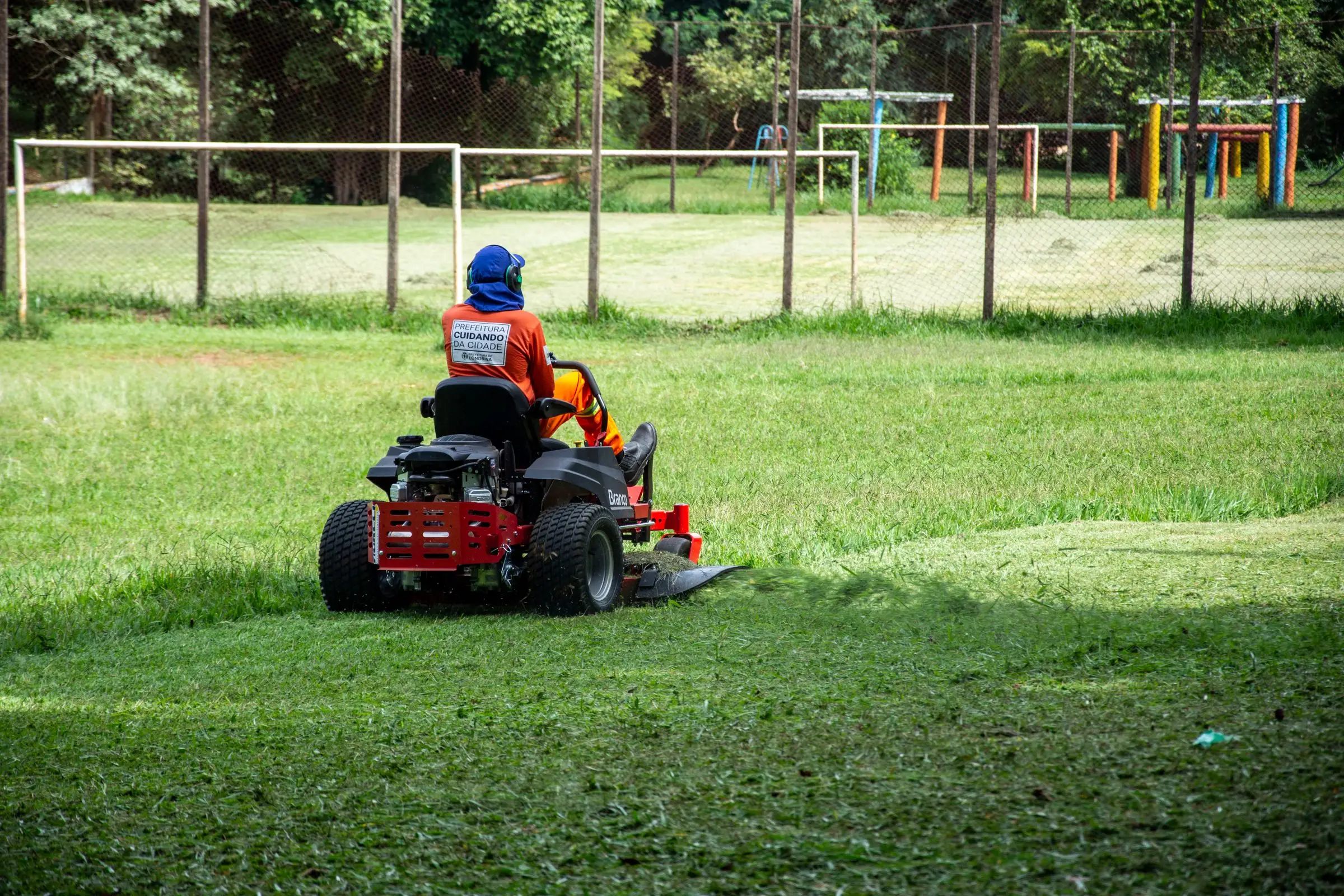
Worker in orange gear and ear protection mowing a large lawn on a red zero-turn mower
Photo: Rodolfo Gaion / Pexels

Our picks at a glance

Ranked by fit for this buyer. Prices from vendor pricing pages, checked Oct 18, 2026.

  1. Jobber logo

    1.JobberTop pick

    Best overall

    From $29/mo

    billed annually

    4.1out of 5
  2. Service Autopilot logo

    2.Service Autopilot

    Best for large route books

    From $49/mo

    billed annually

    3.4out of 5
  3. Housecall Pro logo

    3.Housecall Pro

    Best for owner-run crews

    From $59/mo

    billed annually

    4.1out of 5
  4. LMN logo

    4.LMN

    Best for mow-plus-landscape

    From $297/mo

    billed monthly

    3.8out of 5
  5. Workiz logo

    5.Workiz

    Best for on-demand add-ons

    Quote only

    price on request

    3.8out of 5
  6. FieldPulse logo

    6.FieldPulse

    Best for service agreements

    Quote only

    price on request

    3.9out of 5

Our picks, in detail

Jobber logo

Our pickBest overall

Jobber

The easiest all-rounder for small residential crews

4.1out of 5

Jobber builds a recurring job once per property (weekly, every two weeks, or a set number of visits) and fills each crew's calendar from it. When you need to rebalance, you drag visits between days or crews from the calendar view, and the crew lead sees the new order on the phone app. Online booking lets new clients request service from your website, which the office then slots into the nearest route day. Core is $29/mo billed annually for 1 user; Connect is $149/mo for 5 users and Grow $229/mo for 5 users, as of October 2026. Owners commonly report costs climb with users and add-ons.

What we like

  • Recurring visits are quick to build and move
  • Simple crew app for seasonal staff
  • Online booking on every plan

Watch out for

  • User brackets get pricey past 10 people
  • No treatment-program timing rules built in
Service Autopilot logo

Best for large route books

Service Autopilot

Automation-heavy platform for recurring lawn routes

3.4out of 5

Service Autopilot was built for lawn, landscape and snow companies with recurring routes. Pro ($199/mo at the annual rate, 1 business and 2 mobile users, as of October 2026) adds route optimization, a dispatch calendar and multi-day job management, and Pro Plus ($499/mo, 5 mobile users) adds automation workflows. For a company running mowing plus a five- or six-round treatment program, that combination keeps hundreds of visits in order with fewer manual steps. Users commonly report a steep learning curve, and every plan has an unpublished sign-up fee.

What we like

  • Route optimization and dispatch calendar from Pro
  • Designed around recurring lawn routes

Watch out for

  • Steep setup and unpublished sign-up fee
  • Only 2 mobile users on the $199 Pro plan
Housecall Pro logo

Best for owner-run crews

Housecall Pro

Strong marketing tools and a fast mobile app

4.1out of 5

Housecall Pro is quick to get running for a one- or two-crew lawn company that wants scheduling, texts and payments in one app. Essentials ($149/mo billed annually, up to 5 users, as of October 2026) includes routes and employee GPS tracking; route optimization and recurring service plans are on MAX ($299/mo, up to 8 users). It's designed for HVAC and plumbing service calls, so balancing a week of recurring mows takes more manual work than on Jobber or Service Autopilot.

What we like

  • Fast setup, simple calendar
  • GPS tracking from Essentials

Watch out for

  • Route optimization only on MAX
  • Built for service calls, not recurring routes
LMN logo

Best for mow-plus-landscape

LMN

Landscape estimating and budgeting built by landscapers

3.8out of 5

LMN fits a lawn company that also does landscape enhancements and wants crew time tied to job budgets. Starter ($297/mo with 1 office and 5 crew licenses, as of October 2026) includes scheduling with calendars and a whiteboard view, route optimization, and the LMN Crew app with GPS-verified punch-ins and offline access. For a pure mowing company it's more than you need and costs more than Jobber; for a company where mowing feeds install work, the budget link is the point. There's an unpublished onboarding fee.

What we like

  • Route optimization on the Starter plan
  • Crew app works offline

Watch out for

  • Costly for mowing-only companies
  • Budget setup takes time
Workiz logo

Best for on-demand add-ons

Workiz

Built-in phones and call tracking for on-demand service work

3.8out of 5

Workiz is designed for on-demand work booked by phone, which fits the side of a lawn business that sells one-off cleanups, aerations and storm work. Scheduling, dispatch and GPS are included, and calls tie to jobs. It's weaker at long recurring routes. Workiz moved to quote-only pricing in 2026; third-party records of its last published prices (April 2026) showed Standard at $275/mo for 5 users, not a current vendor price. The trial is 7 days. Keep it in mind if your phones ring more than your routes repeat. A mowing-first company will spend less time fighting the calendar on Jobber.

What we like

  • Phone-to-job booking for one-off work
  • GPS and dispatch included

Watch out for

  • Not built around weekly routes
  • Quote-only pricing
FieldPulse logo

Best for service agreements

FieldPulse

Flexible job management with solid estimating

3.9out of 5

FieldPulse handles service agreements and recurring visits for trades like HVAC, which can be adapted to seasonal lawn programs. Scheduling, dispatch, GPS and time tracking are included, and onboarding is guided. Expect to set up lawn-specific job types yourself. Pricing is quote only; third-party estimates put it around $30 to $150 per user per month (not published by the vendor). Owners commonly report occasional mobile sync issues. For a mowing route book it's an odd fit. For a lawn company built around treatment programs and annual agreements, the agreement structure is useful.

What we like

  • Service agreements with recurring visits
  • Guided onboarding

Watch out for

  • No published pricing
  • Lawn routes need custom setup

What lawn care shops need from scheduling software

The weekly route is the product. Each crew has a set of properties per weekday, and the goal is that every day finishes on time with minimal driving. Good scheduling software shows each crew's day as a list with estimated time on site, so you can see that Wednesday is 40 minutes heavier than Thursday and move two clients before it becomes overtime.

Frequency changes mid-season. In a dry July, many weekly clients drop to every two weeks, then go back in September. If changing a client's frequency means deleting and rebuilding the recurring job, your office will avoid doing it and crews will mow brown grass.

Treatment programs run on their own clock. Fertilizer and weed-control rounds are spaced several weeks apart, can't go down before heavy rain or in high wind, and often need a licensed applicator. They need separate scheduling from mowing even when it's the same client.

One-off work has to fit around the route. An aeration, a bed cleanup or a gutter job is best slotted on the day the crew is already on that street. Dispatch tools that show nearby scheduled visits when you book a new job save more drive time than any optimization button.

Then there's the start and end of the season. First cuts start in a staggered rush, and fall cleanups pile up in a few weeks. The software should help you plan capacity for both peaks, not just the steady middle.

How the picks compare

Jobber is the easiest way to run a stable weekly route book. Building and moving recurring visits is quick, and the crew app gets seasonal hires up to speed in a morning.

Say you run three crews and 180 weekly and biweekly accounts. On Jobber, you'd build each client as a recurring job, assign it to a crew and weekday, and check the week view every Friday to even out the loads. A rain Tuesday means dragging that day's visits across Wednesday and Thursday. Add a 300-account treatment program with its own applicator and that weekly manual balancing starts eating a full afternoon, which is the point where Service Autopilot's optimization and rules start to earn their setup cost.

Service Autopilot is the better fit once routes are big enough that optimization and automation save real hours, typically several crews plus treatment programs. You pay for it in setup time and fees. LMN makes sense when mowing is the base of a landscaping company and crew time needs to tie back to budgets.

Housecall Pro, Workiz and FieldPulse handle scheduling well for service calls but need more manual work for recurring routes. For scheduling tools across other trades, see our roundup of scheduling and dispatch software.

What to look for before you sign

  • Frequency changes. Switch a client from weekly to biweekly in the trial and see whether history and billing survive.
  • Day balancing. You want each crew's total on-site time per day visible on one screen.
  • Separate treatment jobs. Run mowing and fertilizer as distinct recurring jobs on the same client.
  • Route optimization by plan. Confirm which tier includes it before you price.
  • Mobile seats for seasonal crew. Count your July headcount, not your December one.
  • Season start and end dates. Recurring jobs should stop on their own in the fall.

What it costs

Prices as of October 2026.

Company size Jobber (annual) Service Autopilot (annual rate) Housecall Pro (annual)
Solo mower Core $29/mo Startup $49/mo + sign-up fee Basic $59/mo
5 people Connect, 5 users: $149/mo Pro Plus $499/mo (5 mobile users) Essentials $149/mo
15 people Connect, 15 users: $299/mo Elite, quote only MAX $299/mo + 7 users at $35 = $544/mo

A 5-person crew on Service Autopilot's $199 Pro plan only gets 2 mobile users, which is why the table uses Pro Plus. On Jobber, users beyond a bracket cost $29/mo each.

Related guides

Questions owners ask

How many lawns can one crew mow in a day?

It depends on lot size, trimming detail and drive time, so industry rules of thumb are only a starting point. Your own numbers are what count. Record time on site and drive time per visit in your software for three or four weeks, then set each crew's daily capacity from what they actually do, with a little slack for breakdowns.

How do I schedule biweekly lawn customers?

Split them into two groups that alternate weeks, then balance the groups so week A and week B carry similar workloads. Jobber and similar apps let you set a recurring job every two weeks with a chosen start date, which is how you place a client into the lighter week.

Should mowing and fertilizer treatments be on the same schedule?

Same system, separate jobs. Treatments usually run on a five to seven round program with timing windows and need a licensed applicator, so they often go to a different crew than mowing. Keeping them as separate recurring jobs lets you move a treatment for wind or rain without touching the mow.

Do I need route optimization for a small lawn company?

Under about 60 properties, you can sort routes by hand in an afternoon and keep them stable all season. Past that, optimization pays back in fuel and drive time, especially when you add new clients mid-season. Check which plan includes it: Housecall Pro puts it on MAX and Service Autopilot on Pro.

What happens to recurring visits when I pause service for the winter?

Most apps let you set an end date or a set number of visits per season, so the schedule stops on its own. Set your season dates when you build each recurring job in spring. If clients switch to snow or leaf work, add that as a separate job rather than stretching the mowing schedule.