Skip to content
BlueCollarStacks

Best Painting Contractor Software

Jobber is the best painting contractor software for most small residential painting companies. Housecall Pro suits painters who sell with tiered proposals, and Service Fusion suits large crews.

By BlueCollarStacks EditorialUpdated

We may earn a commission from links on this page. How we make money

The short answer

Our pick

Jobber is the best fit for most small painting companies.

Its quotes support optional line items and online approval with a deposit, its scheduling handles multi-day crew jobs, and pricing starts at $29/mo billed annually. Painters who sell on good, better and best options should look at Housecall Pro MAX, and companies with large hourly crews may save money on Service Fusion's unlimited-user plans.

Jobber logo

Jobber

Small residential crews

From $29/mo billed annually

14-day free trial · checked Oct 18, 2026

Painting contractors win or lose money in the estimate. Bid a living room at 14 hours when it takes 20, and the job pays your crew and nothing else. Good painting contractor software turns measurements into labor hours and gallons, records the client's colors and sheens, collects a deposit, and shows you afterward whether the crew hit the number. This page covers what painters need, the three tools we'd shortlist, and what they cost as of October 2026. It sits under our guide to software for contractors and trades.

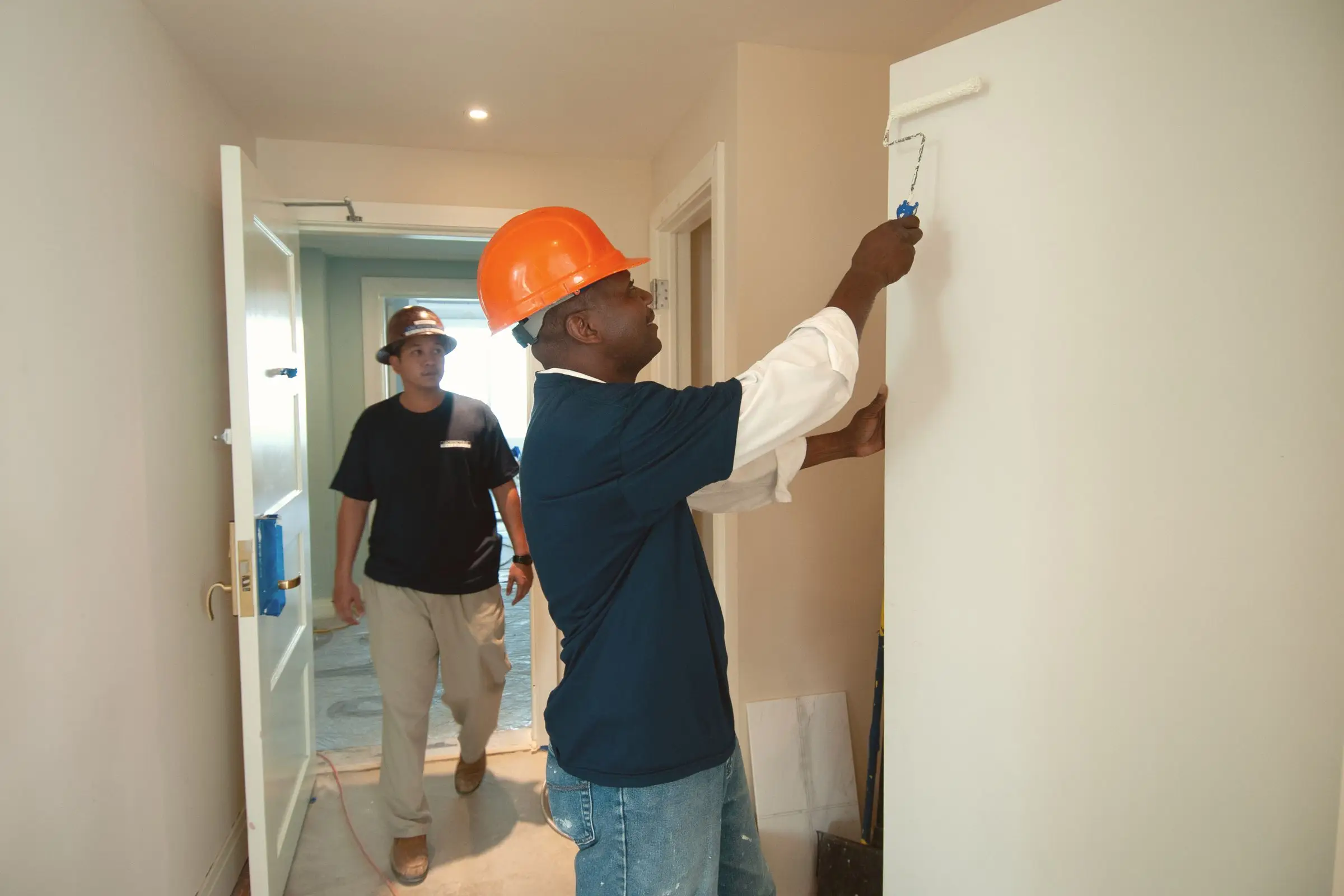
Painter in a hard hat rolling white paint onto an interior wall while a coworker walks by
Photo: DΛVΞ GΛRCIΛ / Pexels

What painting software has to handle

Estimates built on square footage and production rates

A painting estimate is measurements times production rates. Wall area, ceiling area, linear feet of trim and a count of doors and windows each convert to labor hours at your crew's pace, plus prep and setup time. Your software should let you save those unit prices once and build a quote from measurements on site, so two estimators bidding the same house come out within a few percent.

Color selections the crew can't miss

The fastest way to lose money on a repaint is painting a room the wrong color. Each room's brand, color name, code and sheen should be recorded on the job, approved by the client in writing, and visible on the crew's phone. Photos of the sample boards or the client's swatch help too. Verbal color changes on site should go through a signed change.

Deposits and progress payments

Painters buy materials before the job starts. Collecting a deposit at quote approval, then progress payments on longer jobs, keeps you from financing a client's project. Some states, California among them, cap down payments on home improvement contracts, so check your state's rules before setting a deposit percentage. Online payment at approval gets the money in faster than a check.

Crew hours versus the bid

The only way to know your production rates are right is to compare estimated hours with actual hours on every job. Crew clock-ins tied to the job, and a report showing bid hours against real hours, tell you which surfaces you're underpricing. Without that loop, you keep repeating the same estimating mistakes every season.

Scheduling around weather and multi-day jobs

Exterior painting depends on temperature, humidity and rain, and most jobs span several days. Your software should schedule a crew across consecutive days, move a whole job when the forecast turns, and notify the client automatically. A good calendar view by crew keeps two exterior jobs from landing on the same rainy week.

Top 3 painting picks

Ranked by fit for this buyer. Prices from vendor pricing pages, checked Oct 18, 2026.

  1. Jobber logo

    1.JobberTop pick

    Best overall for painters

    From $29/mo

    billed annually

    4.1out of 5
  2. Housecall Pro logo

    2.Housecall Pro

    Best for tiered proposals

    From $59/mo

    billed annually

    4.1out of 5
  3. Service Fusion logo

    3.Service Fusion

    Best for big crews

    From $208/mo

    billed annually

    3.9out of 5

Painting software by job

Detailed picks for each job your office handles.

Our picks, in detail

Jobber logo

Our pickBest overall for painters

Jobber

The easiest all-rounder for small residential crews

4.1out of 5

Jobber covers the full painting job cycle without forcing you into a heavy system. You build quotes from saved line items (walls, ceilings, trim, doors, prep) priced per square foot, linear foot or unit, add optional items like an accent wall or cabinet refinishing, and send it for the client to approve online. You can collect a deposit at approval, so materials are paid for before you buy them. Multi-day jobs schedule as visits across a crew's week, and photos and notes, including color codes, stay on the job. As of October 2026, Core is $29/mo billed annually for one user, and Connect is $149/mo billed annually for five. It doesn't have a built-in production-rate calculator, so you'll set prices per unit yourself.

What we like

  • Quotes with optional items and online approval
  • Deposits at quote approval
  • Published prices with a 14-day trial
  • Easy crew app for multi-day jobs

Watch out for

  • No built-in production-rate estimating
  • Per-user costs climb as you add painters
Housecall Pro logo

Best for tiered proposals

Housecall Pro

Strong marketing tools and a fast mobile app

4.1out of 5

Many residential painters close more jobs by showing two or three options: walls only, walls and trim, or the full room with ceilings and doors. Housecall Pro's MAX plan includes a sales proposal tool (Housecall Pro values it at $40/mo) meant for presenting options like these, plus online booking, review requests and marketing tools for companies that sell mostly to homeowners. As of October 2026, Basic is $59/mo billed annually for one user, Essentials is $149/mo billed annually for up to five, and MAX is $299/mo billed annually for up to eight, with extra users at $35/mo. Card processing starts at 2.59%. The proposal tool is MAX-only, and owners commonly report that job costing is lighter than heavier platforms.

What we like

  • Proposal tool for tiered options on MAX
  • Marketing and review requests built in
  • Easy app for new painters

Watch out for

  • Proposal tool only on the $299/mo MAX plan
  • Job costing is fairly light
Service Fusion logo

Best for big crews

Service Fusion

Flat monthly price with unlimited users

3.9out of 5

Painting companies often carry more people than most trades: a few crew leads and a rotating group of hourly painters, especially in summer. Service Fusion charges a flat price with unlimited users, so adding six summer painters doesn't change the bill. As of October 2026, Starter is $208/mo billed annually ($245/mo monthly), Plus is $325/mo billed annually and Pro is $533/mo billed annually. The catch is add-ons: Job Costing is $60/mo and eSignature is $40/mo, and painters need both to compare estimated and actual hours and get signed approvals. Owners commonly report a dated interface and a clunky mobile app, and there's no free trial listed.

What we like

  • Unlimited users on every plan
  • Flat pricing that doesn't grow with seasonal hires
  • Job costing available as an add-on

Watch out for

  • Job costing and eSignature cost extra
  • Dated interface and mobile app
  • No free trial listed

What makes painting contractor software different

Painting looks simple from the outside, which is why so many painters underprice it. The job is labor-heavy, materials are a smaller but real slice, and nearly all the risk sits in how many hours the crew actually takes. Software for painters has to help with three things most field service apps treat as afterthoughts: estimating from measurements, tracking what the client picked, and comparing the bid to the result.

Start with the estimate. A plumber prices a water heater swap from a flat-rate book. A painter prices a house from square footage of walls and ceilings, linear feet of trim, a count of doors and windows, and an honest guess at prep: patching, caulking, sanding, moving furniture, masking. Each surface converts to hours at your crew's production rate. Say your crew rolls walls at a certain square footage per hour and cuts trim at a certain linear footage per hour; the estimate is those rates applied to the measurements, plus paint by coverage. Most general field service tools don't do that math, but they do let you save per-unit prices, which gets you most of the way.

Then there's the paperwork of taste. A three-bedroom interior might involve six colors in two sheens, and the client will change one of them on day two. That has to be written down, approved and visible to whoever's holding the roller.

Scope creep is the other half of that problem. Homeowners ask the crew to "just do the hallway too" all the time, and a crew lead who says yes without a written change has just given away a day of labor. Software that lets the crew lead add a line item on site, get the client's approval on a phone and push it to the final invoice turns that request into revenue instead of a dispute.

Finally, painting companies flex their headcount with the season. Exterior work peaks in summer, interiors carry the winter, and crews grow and shrink. Per-user pricing hits painters harder than trades with steady headcounts.

Choosing by company size

Solo painter

You need fast, professional quotes, a deposit at approval and easy invoicing. Jobber Core at $29/mo billed annually (as of October 2026) does all three. Housecall Pro Basic at $59/mo billed annually is the alternative if you want online booking from your website. Keep your production rates and unit prices in the software's saved line items so every quote is consistent.

2 to 5 people

With one or two crews running while you estimate, scheduling and job notes become critical. The crew lead needs colors, photos and the scope on a phone. Jobber Connect and Housecall Pro Essentials are both $149/mo billed annually for five users. If you sell on tiered options, Housecall Pro MAX at $299/mo billed annually adds the proposal tool. Start tracking crew hours per job against the bid now, while the company is small enough to fix pricing.

6 to 15+ people

At this size you have multiple crews, maybe a dedicated estimator, and seasonal hourly painters. Per-user pricing becomes the main cost driver. Jobber Grow for fifteen users is $399/mo billed annually. Housecall Pro MAX plus seven extra users comes to about $544/mo. Service Fusion's Starter plan with Job Costing and eSignature add-ons is about $308/mo billed annually no matter how many painters you add.

What painting contractor software costs

Published prices as of October 2026, billed annually unless noted.

Company size Jobber Housecall Pro Service Fusion
Solo $29/mo (Core) $59/mo (Basic) $208/mo (Starter)
5 people $149/mo (Connect) $149/mo (Essentials) or $299/mo (MAX) $208/mo (Starter) + $100/mo for job costing and eSignature
15 people $399/mo (Grow, 15 users) about $544/mo (MAX + 7 users at $35) same as above, unlimited users

Payment processing is a bigger number for painters than for low-ticket trades. On an $8,000 interior repaint paid by card through Jobber at 2.9% + 30¢, you pay about $232. Through ACH at 1%, it's $80. Housecall Pro's card processing starts at 2.59%. For any job over a few thousand dollars, offer ACH or bank transfer on the invoice and say so in the quote.

Watch the add-ons too. Jobber's Marketing Suite is $99/mo, and its AI receptionist is $29/mo. Service Fusion's Job Costing ($60/mo) and eSignature ($40/mo) are near-requirements for a painting company, so count them in from the start.

Mistakes painters make when switching

Moving prices but not production rates. Your old system or spreadsheet probably holds years of tuned per-unit prices. Export them and rebuild your line items carefully before sending a single quote, or your first month of bids will be inconsistent.

Switching in peak exterior season. Summer is when crews are busiest and estimates pile up. Change systems in late fall or winter, when interior work is steadier and you have time to train crew leads.

Not recording colors in the new system from day one. If some jobs have colors in the software and others have them in texts, a crew will eventually paint from the wrong source. Make it a rule that a job can't be scheduled without colors and sheens entered.

Skipping job costing because it's an add-on. Painters who don't compare bid hours with actual hours keep losing money on the same surfaces. If job costing costs extra on your plan, pay for it.

Forgetting seasonal users. Before you sign an annual plan, count how many painters need the app in July, not in January. That number sets your real cost.
More painting software reviews

Free tools and guides

Software categories

Questions owners ask

What is the best software for a painting contractor?

For most small residential painting companies, Jobber is the best balance of quoting, scheduling, deposits and price, starting at $29/mo billed annually as of October 2026. Housecall Pro MAX is better if you sell with tiered proposals. Service Fusion is worth pricing if you run large hourly crews, because every plan includes unlimited users.

Can I estimate painting jobs by square foot in Jobber?

Yes, by saving line items priced per square foot, linear foot or unit (walls, ceilings, trim, doors) and entering quantities from your measurements. Jobber doesn't calculate wall area from room dimensions or apply production rates automatically, so many painters do the takeoff in a spreadsheet or a painting calculator and enter totals. Quotes can include optional items the client can add.

How much does painting contractor software cost?

As of October 2026, a solo painter can start at $29/mo billed annually on Jobber Core or $59/mo on Housecall Pro Basic. A five-person company pays about $149/mo on Jobber Connect or Housecall Pro Essentials. Service Fusion starts at $208/mo billed annually with unlimited users, plus $60/mo for job costing and $40/mo for eSignature.

How much deposit should a painting contractor take?

Many residential painters take enough to cover materials, collected when the client approves the quote. But some states, including California, cap down payments on home improvement contracts, and rules vary widely. Check your state contractor board's rules before you set a standard deposit, and put the deposit and payment schedule in the signed quote.

Do painters need separate estimating software?

Small residential painters usually don't. A field service tool with saved unit prices and good quotes covers most jobs. Commercial painters bidding from plans, or companies with several estimators, may benefit from dedicated takeoff or painting estimating software that calculates areas and production rates, then hand the job to a field service tool for scheduling and invoicing.