Skip to content
BlueCollarStacks

Best Painting Estimating Software

PaintScout is the best estimating software for painting contractors who bid from production rates. Jobber is the better buy if you want estimates, scheduling and invoicing in one app.

By BlueCollarStacks EditorialUpdated

We may earn a commission from links on this page. How we make money

The short answer

PaintScout is the best painting estimating software for most growing painting companies.

It was built for painters, with production-rate estimating, material lists, interactive proposals with optional upgrades, and deposits, from $99/mo billed annually. If you'd rather run the whole business in one app and price by line item, Jobber is the better value.

A painting estimate is a production-rate problem. Walls go by square feet per hour, trim by linear feet, doors and windows by the each, and the real swing is prep: a room that needs patching, caulking and spot-priming can take twice as long as the same room freshly drywalled. Estimating software for painters should hold those rates so every bid uses the same math, then present it well enough to win. This page compares the options. It's part of our guide to painting contractor software.

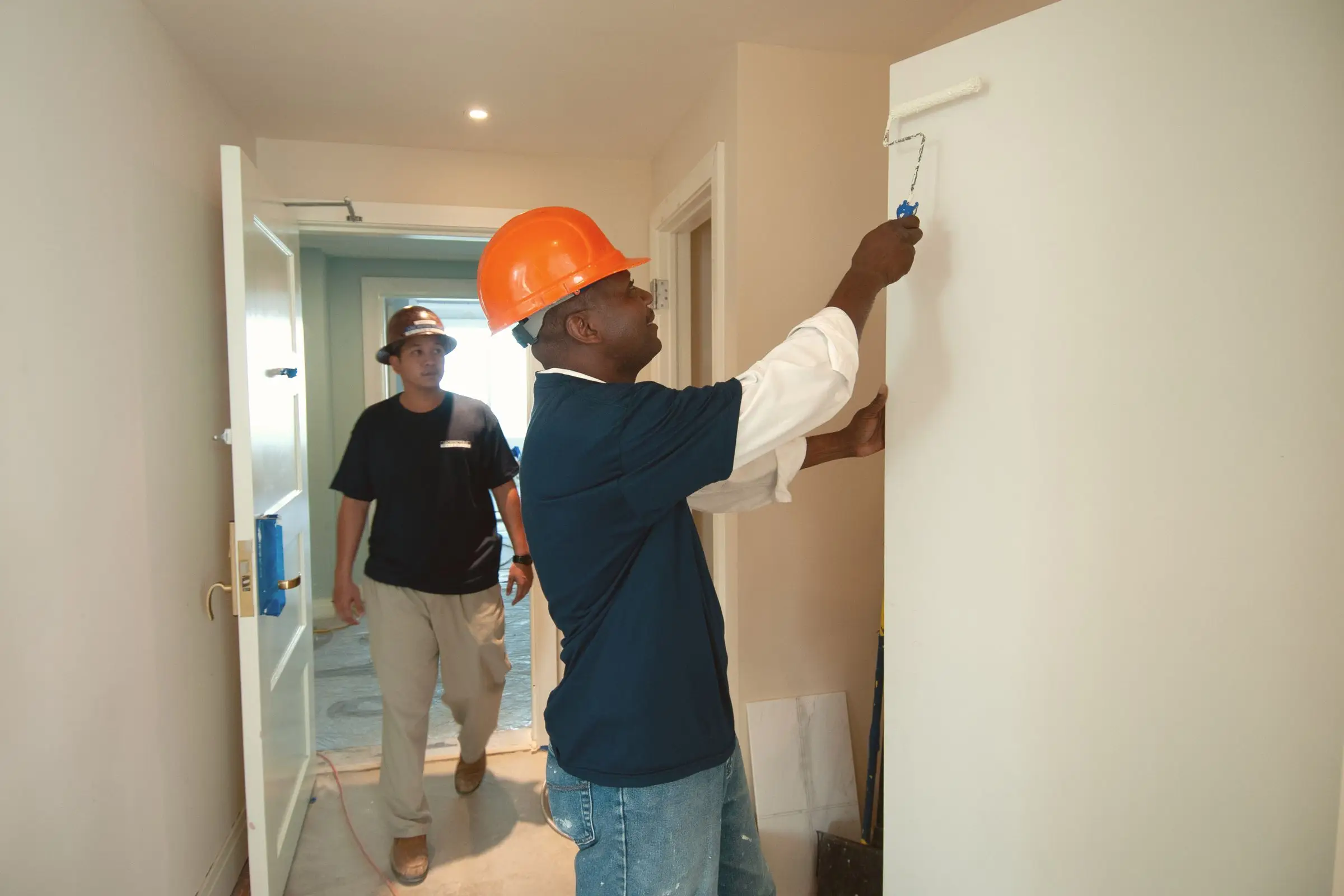
Painter in a hard hat rolling white paint onto an interior wall while a coworker walks by
Photo: DΛVΞ GΛRCIΛ / Pexels

Our picks at a glance

Ranked by fit for this buyer. Prices from vendor pricing pages, checked Oct 18, 2026.

  1. 1.PaintScoutTop pick

    Best overall

    From $99/mo billed annually

    per vendor

    Not scored
  2. Jobber logo

    2.Jobber

    Best all-in-one

    From $29/mo

    billed annually

    4.1out of 5
  3. Housecall Pro logo

    3.Housecall Pro

    Best for tiered options

    From $59/mo

    billed annually

    4.1out of 5
  4. Joist logo

    4.Joist

    Best for solo painters

    From $8.34/mo

    billed annually

    3.8out of 5
  5. FieldPulse logo

    5.FieldPulse

    Best for commercial bids

    Quote only

    price on request

    3.9out of 5
  6. Workiz logo

    6.Workiz

    Best for small repaint calls

    Quote only

    price on request

    3.8out of 5

Our picks, in detail

Our pickBest overall

PaintScout

PaintScout is one of the few estimating tools made specifically for painting contractors. Estimates run on production rates and material lists, start from pre-built templates, and can include photos. Proposals are interactive, with optional upgrades and add-ons the client can pick, eSignature, change orders and branded presentations, sent by email or text. Deposits and final payments go through ACH or card, with Wisetack financing available. The Sales plan is $99/mo billed annually or $119/mo monthly (verified on PaintScout's pricing page, October 2026). Scheduling and job management are a separate Operations add-on ($79/mo annual), with team seats at $20 per user per month.

What we like

  • Production-rate estimating built for painters
  • Interactive proposals with optional upgrades
  • Deposits, financing and eSignature built in

Watch out for

  • Scheduling and job management cost extra
  • Optional setup packages run $999 to $1,999
Jobber logo

Best all-in-one

Jobber

The easiest all-rounder for small residential crews

4.1out of 5

Jobber won't calculate production rates for you, but it does a clean job once you've built your pricing. Save line items for walls, ceilings, trim, doors and prep, priced per square foot, linear foot or unit, then add optional items like an accent wall or cabinet doors on the Grow plan. Clients approve online and pay a deposit, and the job moves straight to scheduling and invoicing. Grow is $229/mo for 5 users billed annually and includes job costing, so you can check whether a bid's hours held up (as of October 2026). Connect ($149/mo for 5 users) adds automatic quote follow-ups.

What we like

  • Estimates, scheduling and invoicing in one app
  • Optional line items and job costing on Grow
  • 14-day trial, no card

Watch out for

  • No production-rate calculator
  • Costs climb with users and add-ons
Housecall Pro logo

Best for tiered options

Housecall Pro

Strong marketing tools and a fast mobile app

4.1out of 5

Housecall Pro's MAX plan ($299/mo billed annually, up to 8 users, as of October 2026) includes a sales proposal tool suited to showing options like walls only, walls and trim, or the full room. Price book and consumer financing are on every plan, starting at $59/mo for Basic, which helps sell a whole-house exterior. Its estimating was built for HVAC and plumbing tickets, so there's no paint-specific production-rate or material math. Owners commonly report that advanced features sit behind MAX.

What we like

  • Sales proposal tool on MAX
  • Financing and price book on every plan

Watch out for

  • No production rates or paint material math
  • Proposal tool requires the $299 plan
Joist logo

Best for solo painters

Joist

Simple estimates and invoices from your phone

3.8out of 5

Joist is the cheapest way to send professional estimates from your phone. Pro ($14.17/mo billed annually or $17/mo monthly, as of October 2026) gives unlimited estimates and invoices with your logo, line items and photos. Elite ($26.67/mo annual) adds change orders, license and insurance details on documents, and sales reports. The Basics plan caps you at 5 documents a month, which is too few for a painter bidding every week, and the old free plan is gone. Scheduling and team tools are light until the Run plan.

What we like

  • Unlimited estimates on Pro for under $20/mo
  • Change orders on Elite

Watch out for

  • Basics caps you at 5 documents a month
  • Light on scheduling and crew management
FieldPulse logo

Best for commercial bids

FieldPulse

Flexible job management with solid estimating

3.9out of 5

FieldPulse's configurable estimates and multi-option proposals fit a painting company bidding commercial repaints and property-management work, where scope documents and service agreements matter. Inventory and job costing are part of the system. It's built for HVAC and electrical, so painting templates are on you. Pricing is quote only; third-party estimates put it around $30 to $150 per user per month (not published by the vendor). Plan time to load your production-based unit prices before the first bid. For residential repaints, PaintScout or Jobber fit better out of the box.

What we like

  • Configurable proposals for commercial scopes
  • Job costing included

Watch out for

  • No published pricing
  • No painting-specific estimating
Workiz logo

Best for small repaint calls

Workiz

Built-in phones and call tracking for on-demand service work

3.8out of 5

Workiz suits painting companies doing quick-turn work like rental turnovers and touch-ups booked by phone, where an estimate needs to go out fast and become a job the same day. It isn't designed for detailed room-by-room bids. Pricing has been quote only since 2026; third-party records of its last published prices (April 2026) showed Standard at $275/mo for 5 users, which is not a current vendor price. If most of your work is full repaints with color consultations, it's the wrong tool. For a turnover crew that works off a property manager's call list, it moves fast.

What we like

  • Fast estimate-to-job flow
  • Calls tie to estimates and jobs

Watch out for

  • Not built for detailed room-by-room bids
  • Quote-only pricing and a 7-day trial

What painting shops need from estimating software

Production rates come first. Your crew paints a certain number of square feet of walls per hour, cuts in a certain number of linear feet of trim, and finishes doors at a certain pace. Those rates differ for new drywall versus a lived-in repaint, and for brush-and-roll versus spray. Estimating software should store them so a new estimator bids the same way you do.

Prep is where bids go wrong. Patching, sanding, caulking, spot-priming, masking and moving furniture can take as long as the painting. Make prep its own set of lines so it's priced, not absorbed.

Materials depend on surface area, coats and the product line. The estimate should calculate gallons from coverage and update when a client upgrades from a contractor-grade line to a premium one.

Access adds cost. Two-story exteriors, stairwells and vaulted ceilings need ladders, planks or a lift, and those need a line item. So do color consultations and sample patches.

Cabinets and specialty finishes need their own math. Cabinet refinishing is priced by door and drawer front with sanding, priming and spray time, and it often runs through a shop rather than on site. Stains, epoxy floors and decorative finishes each need separate rates, so a general per-square-foot price will be wrong on all of them.

Finally, the presentation. Homeowners choosing a painter compare two or three bids, and the clearest one with options and a simple deposit button often wins over a cheaper bid.

How the picks compare

PaintScout is the only pick built for painting math. If estimating is the bottleneck in your business, or you're training estimators who need to bid consistently, it's the strongest tool here. The cost of running it alongside separate scheduling adds up, so it suits companies doing enough volume to justify both.

Jobber is the best one-app choice. You set up line items once with your rates baked into unit prices, and every estimate becomes a scheduled job and an invoice without retyping. Housecall Pro is close for residential painters who sell on tiered options.

Joist is the budget tool for an owner-operator. FieldPulse and Workiz fit commercial and quick-turn niches. For estimating tools in other trades, see our roundup of estimating software for contractors.

Say you bid 12 interior repaints a month. On PaintScout, each room gets measured surfaces and a prep level, the software applies your production rates, and the proposal goes out by text with an upgrade to premium paint as an option. On Jobber, the same job uses saved per-square-foot line items, which works well if your unit prices already include prep and access. If they don't, Jobber's speed just sends the wrong number faster.

What to look for before you sign

  • Production rates by surface. Walls, ceilings, trim, doors, cabinets and exteriors each need their own rate.
  • Prep levels. Light, medium and heavy prep as selectable options.
  • Material calculation. Gallons from area, coats and coverage.
  • Options on one proposal. Paint lines or scopes the client can choose.
  • Deposits and eSignature. Collected from the proposal.
  • Change orders. Built in, not a second quote you link by hand.

What it costs

Prices as of October 2026.

Company size PaintScout Jobber (annual) Joist (annual)
Solo painter Sales $99/mo Core $29/mo Pro $14.17/mo
5 people Sales $99 + Operations $79 + seats at $20/user Grow, 5 users: $229/mo Run $58.33/mo (includes intro discount)
15 people Sales $99 + Operations $79 + seats at $20/user Grow, 15 users: $399/mo Not built for a team this size

PaintScout's seat price applies to Operations users; confirm how many seats your crew needs. Optional PaintScout setup packages cost $999 to $1,999 one time. Joist's Run price reflects a 30% introductory discount plus two months free on annual billing.
Related guides

Questions owners ask

How do painters calculate an estimate?

Measure each surface, divide by your crew's production rate to get hours, multiply by your loaded labor rate, then add materials and markup. Walls are usually figured in square feet, trim in linear feet, and doors and windows by count. Prep, extra coats and high work each add time, so they should be separate lines, not a guess folded into the wall price.

Is there free painting estimating software?

Not among these picks. Joist dropped its free plan; its cheapest paid plan, Basics, is $10/mo with a 5-document limit as of October 2026. Jobber, Housecall Pro and Joist all offer 14-day free trials. A spreadsheet with your production rates is free and works fine early on, but you lose online approval and deposits.

How many gallons of paint should an estimate include?

Divide the paintable area by the coverage rate on the product's data sheet, multiply by the number of coats, and round up. Rough or porous surfaces take more paint than the sheet suggests. Good estimating software stores coverage per product so the material line updates when you change the paint line.

Should painting estimates show good, better and best options?

For residential work, often yes. Options let a homeowner choose between paint lines or scopes without asking for a new quote, and they make the upgrade to a premium paint line a click instead of a conversation. PaintScout's optional upgrades, Housecall Pro's proposal tool on MAX and Jobber's optional line items on Grow all support this.

How do I handle extra work after the estimate is signed?

Use a written change order before the work starts, even for one extra room, and get it approved the same way as the estimate. PaintScout and Joist Elite include change orders. With other tools, send a new quote linked to the job so the final invoice reflects both.