Skip to content
BlueCollarStacks

Best Handyman Software

Jobber is the best handyman software for most one- to ten-person shops. Joist is the cheapest way for a solo handyman to send good quotes, and ServiceM8 suits iPhone crews that want unlimited users.

By BlueCollarStacks EditorialUpdated

We may earn a commission from links on this page. How we make money

The short answer

Our pick

Jobber is the best fit for most handyman businesses.

Fast quotes from saved line items, a schedule built for many short visits, and tap-to-pay on the phone cover a handyman's day, starting at $29/mo billed annually. A solo handyman who mostly needs quotes and invoices can spend less on Joist, and a small iPhone-based crew may get more for the money from ServiceM8's unlimited-user plans.

Jobber logo

Jobber

Small residential crews

From $29/mo billed annually

14-day free trial · checked Oct 18, 2026

A handyman's day might be a ceiling fan, a leaky toilet flapper, a sticking door and a drywall patch, at four addresses, priced three different ways. Handyman software has to keep up with that: quotes sent from the driveway in five minutes, a schedule of short jobs that shifts constantly, and invoices paid before you pull away. This page covers what handyman businesses need, the three tools we'd shortlist, and what they cost as of October 2026. It's part of our guide to software for contractors and trades.

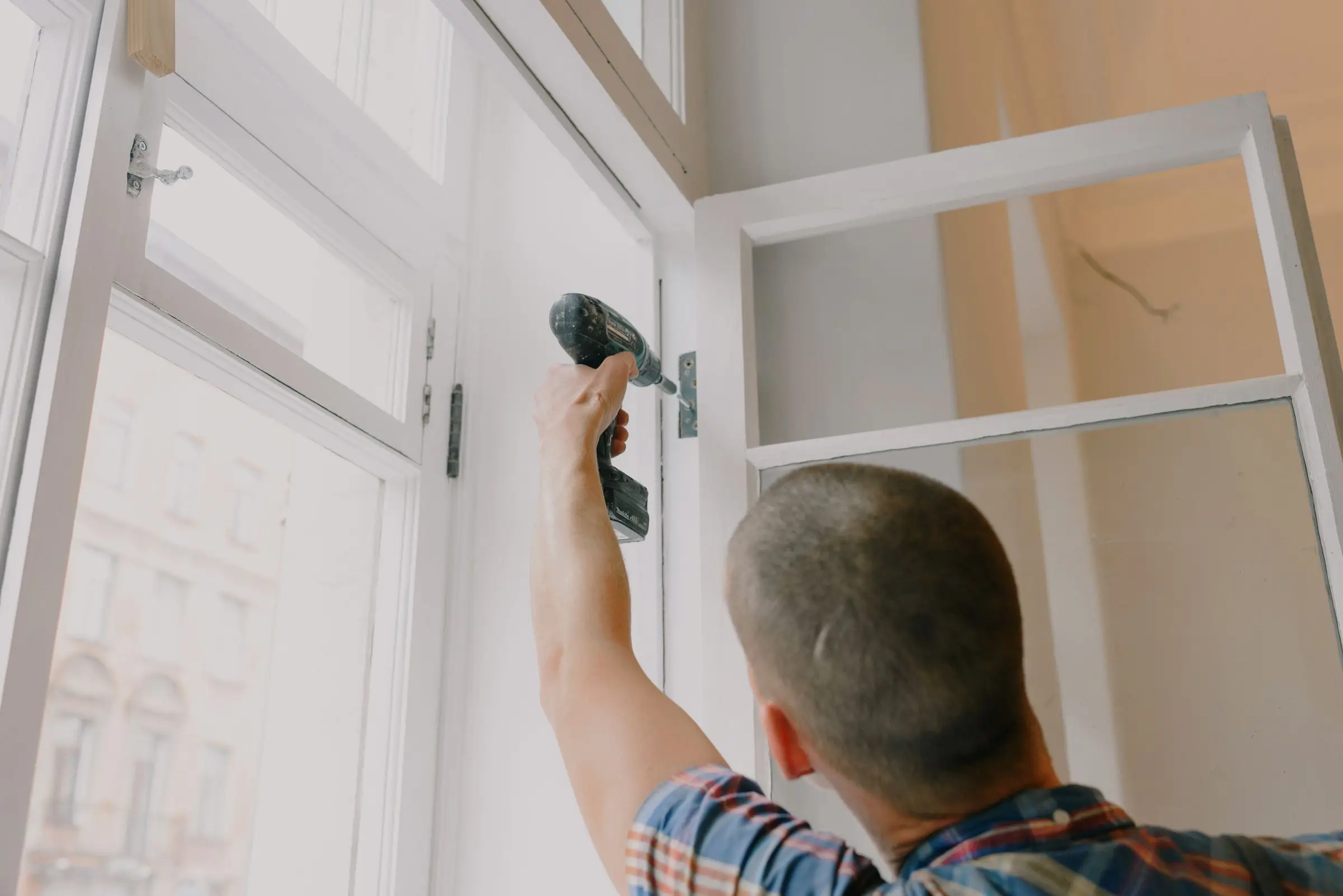
Handyman using a cordless drill to fasten a hinge while repairing a tall window frame
Photo: Ksenia Chernaya / Pexels

What handyman software has to handle

Quotes in five minutes from the driveway

Handyman work is won on speed. The homeowner who gets a clean, itemized quote before you leave usually books. Your software should let you build a quote from saved tasks and rates, add a photo of the problem, and send it by text for online approval. If quoting takes longer than the job, you'll go back to scribbling numbers on a card.

Hourly and flat pricing on the same job

Most handymen mix pricing: flat rates for common tasks, hourly for open-ended repairs, plus a minimum charge or trip fee and materials at cost plus markup. Your software needs saved items for all of those, the ability to combine them on one invoice, and a way to track time on hourly jobs so you bill what you actually worked.

A schedule built for many short jobs

Five or six stops a day is normal, and half of them will move. Look for a calendar that shows the whole day at a glance, handles arrival windows, and makes it easy to slot an urgent repair between two booked jobs. Automated on-my-way texts save calls from customers wondering when you'll arrive.

Job history for repeat clients and property managers

Repeat customers and property managers are the steadiest handyman revenue. You need every past job, photo and invoice attached to the client and the property, plus support for one client with many addresses. Property managers often want batch invoices or invoices sent to an accounts payable email, so check that before you commit.

Top 3 handyman picks

Ranked by fit for this buyer. Prices from vendor pricing pages, checked Oct 18, 2026.

  1. Jobber logo

    1.JobberTop pick

    Best overall for handymen

    From $29/mo

    billed annually

    4.1out of 5
  2. Joist logo

    2.Joist

    Best for solo quoting

    From $8.34/mo

    billed annually

    3.8out of 5
  3. ServiceM8 logo

    3.ServiceM8

    Best for iPhone crews

    From $29/mo

    billed monthly

    3.9out of 5

Handyman software by job

Detailed picks for each job your office handles.

Our picks, in detail

Jobber logo

Our pickBest overall for handymen

Jobber

The easiest all-rounder for small residential crews

4.1out of 5

Jobber handles the mixed, fast-moving schedule of a handyman business well. Save your common tasks (fan install, faucet swap, TV mount, hourly rate, trip charge) as line items, and a quote takes a few taps on site. Clients approve online, and approved quotes turn into scheduled visits and then invoices without retyping. Tap to Pay on your phone is 2.7% + 30¢, so small jobs get paid before you leave. The client hub lets repeat customers and property managers see past work and request new jobs. As of October 2026, Core is $29/mo billed annually for one user ($49/mo with no commitment), and Connect for five users is $149/mo billed annually. Costs rise with each user and add-on.

What we like

  • Fast quotes from saved line items
  • Tap to Pay on the phone for small jobs
  • Client hub for repeat clients and property managers
  • Published prices with a 14-day trial

Watch out for

  • Per-user brackets get pricey as you hire
  • Reporting is basic on the lower plans
Joist logo

Best for solo quoting

Joist

Simple estimates and invoices from your phone

3.8out of 5

Joist is the cheapest way to look professional on paper. It's built around estimates and invoices from a phone, with a clean layout, your logo and online payment, which is most of what a one-person handyman business needs. As of October 2026, plans run from Basics at $10/mo ($8.34/mo billed annually) through Pro at $17/mo, Elite at $32/mo and Run at $100/mo, which Joist discounts to $58.33/mo on annual billing with an introductory offer. There's a 14-day trial of Run with no card. The former free plan is gone. Owners commonly report limited scheduling and team features, so Joist stops fitting once you hire help or need dispatch.

What we like

  • Very low monthly cost
  • Fast, professional estimates from a phone
  • QuickBooks sync available

Watch out for

  • Limited scheduling and team management
  • Free plan no longer available
  • Template customization limited on lower tiers
ServiceM8 logo

Best for iPhone crews

ServiceM8

Pay-per-job pricing and a slick iPhone app

3.9out of 5

ServiceM8 prices by jobs per month instead of by user, and paid plans include unlimited staff. For a small handyman crew, that can be cheaper than per-seat pricing. As of October 2026, there's a free plan for one user and 30 jobs a month, Starter is $29/mo for 50 jobs, Growing is $79/mo for 150 jobs and Premium is $149/mo for 500 jobs. A three-person crew doing 120 jobs a month pays $79/mo, against $149/mo for five users on Jobber Connect billed annually. It covers quotes, scheduling, invoicing, payments and job photos. The catches: owners commonly report the best experience is on iPhone and iPad, US support is thinner than for Australian users, and high job volume pushes you up the tiers quickly.

What we like

  • Unlimited users on paid plans
  • Free plan for 30 jobs a month
  • Cheap for small crews at moderate volume

Watch out for

  • Best on iOS; Android is more limited
  • Job caps bite for high-volume small jobs
  • Thinner US support

What makes handyman software different

Most trade software assumes you do one kind of work. An HVAC app knows about maintenance agreements, a roofing app knows about squares and insurance claims. A handyman does a bit of everything, in small pieces, and the software has to stay out of the way.

The defining feature of a handyman business is volume of small jobs. A plumber might run four calls a day at $400 each. A handyman might run six at $150 to $300, plus a few quotes for bigger work like a deck repair or a bathroom refresh. That means quoting speed, scheduling flexibility and fast payment matter more than deep job costing or inventory. Every minute of admin per job is multiplied by a lot of jobs.

Pricing is also messier. One invoice might combine a flat rate for installing a light fixture, an hour and a half of drywall repair at your hourly rate, a trip charge and materials at cost plus 20%. Software that only handles one pricing style forces you into workarounds. You want saved items for every common task and rate, so a quote is a few taps instead of a calculation.

Repeat business is the third difference. Handymen live on referrals, repeat homeowners and property managers who send a steady list of turnovers and small repairs. Having every past job, photo and invoice on the client record means you know what paint you used in the guest bath two years ago and can quote the next job without a site visit.

And because handyman work often sits near licensing lines, clear itemized quotes protect you. A quote that spells out exactly what you're doing, and what you're not, keeps you out of trouble on jobs that drift toward electrical or plumbing work that needs a licensed trade.

Choosing by shop size

Solo handyman

If you work alone, your problems are quoting fast, getting paid on the spot and not forgetting follow-ups. Joist from $8.34/mo billed annually (as of October 2026) handles quotes and invoices at the lowest cost. Jobber Core at $29/mo billed annually adds a real schedule, client hub and Tap to Pay. ServiceM8's free plan works if you do fewer than 30 jobs a month, and Starter at $29/mo covers 50.

2 to 5 people

Once a second person is in the field, you need dispatch: who's going where, with what notes and photos. Joist runs out of road here. Jobber Connect is $149/mo billed annually for five users. ServiceM8 Growing at $79/mo covers 150 jobs a month with unlimited users, which is cheaper if your team is on iPhones and your volume fits.

6 to 15+ people

At this size, you're closer to a small general contractor with a service side. Jobber Connect for ten users is $229/mo billed annually, and fifteen users is $299/mo. ServiceM8 Premium at $149/mo covers 500 jobs a month, and Premium Plus at $349/mo covers 1,500 with extra jobs at 20 cents each. If bigger remodel projects become a large share of revenue, look at construction tools with budgets and change orders.

What handyman software costs

Published prices as of October 2026. Job counts are illustrative.

Shop size Jobber Joist ServiceM8
Solo, about 40 jobs/mo $29/mo (Core, billed annually) $8.34 to $58.33/mo (billed annually) $29/mo (Starter, 50 jobs)
3 people, about 120 jobs/mo $149/mo (Connect, 5 users, billed annually) not built for teams $79/mo (Growing, 150 jobs)
8 people, about 400 jobs/mo $229/mo (Connect, 10 users, billed annually) not built for teams $149/mo (Premium, 500 jobs)

Payment fees add up across many small invoices. Say a three-person shop bills 120 jobs a month at an average of $350, or $42,000. On Jobber's standard card rate of 2.9% + 30¢, that's about $1,254 a month. Tap to Pay at 2.7% + 30¢ trims it slightly, and ACH at 1% is far cheaper for property managers who pay monthly. Joist says standard processing fees apply by payment method but doesn't list rates on its pricing page.

Add-ons are worth checking. Jobber's AI receptionist is $29/mo, Joist's starts at $49/mo, and ServiceM8 Phone starts at $19/mo. A handyman who misses calls while on a ladder may find one of these pays for itself, but don't buy it until you've measured how many calls you're missing.

Mistakes handymen make when switching

Not rebuilding the price list first. Your saved tasks and rates are the heart of fast quoting. Before you send a single quote from the new tool, enter your 30 most common tasks, your hourly rate, minimum charge and trip fee. Otherwise you'll quote from memory and drift.

Picking a solo tool right before hiring. If you plan to add a helper this year, choose software that handles a second user now. Moving from a quoting app to a scheduling platform six months later means migrating clients twice.

Ignoring job caps. Job-volume pricing looks cheap until a busy month. Count last year's busiest month, not your average, and price the plan that covers it.

Leaving property managers on paper. If property managers send you work by email, set them up as clients with all their addresses in the new system and agree on how they'll receive invoices. Batch invoicing at month end saves both of you time.

Skipping on-site payment. The biggest cash flow win for a handyman is getting paid before leaving. Turn on card and tap-to-pay from the first day, and stop leaving invoices for later.
More handyman software reviews

Software categories

Questions owners ask

What is the best software for a handyman business?

For most handyman businesses with one to ten people, Jobber is the most complete fit, from $29/mo billed annually as of October 2026. A solo handyman who only needs estimates and invoices can save money with Joist, from $8.34/mo billed annually. ServiceM8 is worth a look for small iPhone-based crews because paid plans include unlimited users.

Is there free handyman software?

ServiceM8 has a free plan for one user and up to 30 jobs a month as of October 2026, which covers a part-time handyman. Joist used to have a free plan, but it's no longer available. Jobber and Joist both offer 14-day trials. Once you pass about 30 jobs a month, expect to pay $29/mo or more for a tool that handles quoting, scheduling and payments.

Should a handyman charge hourly or flat rate?

Most do both. Flat rates work for repeatable tasks like mounting a TV or swapping a faucet, because customers like knowing the price upfront and you profit when you're fast. Hourly with a minimum charge works for open-ended repairs where you can't see the problem yet. Set up both as saved items in your software so quotes stay consistent.

Is Joist or Jobber better for a handyman?

Joist is better if you work alone and mainly need clean estimates and invoices at the lowest price. Jobber is better once you need real scheduling, a client hub, recurring work for property managers or a second person in the field. Many handymen start on Joist and move to Jobber when they hire, so keep your price list in a format you can export.

Does handyman software help with license limits?

Not directly. Many states limit the size or type of job you can take without a contractor license, and the thresholds vary by state. Software won't enforce that, but saved line items and itemized quotes make it easier to see when a job is drifting into licensed territory, such as electrical, plumbing or work above your state's dollar cap.