Skip to content
BlueCollarStacks

Best HVAC Invoicing Software

Jobber is the best HVAC invoicing tool for most small shops: automatic follow-ups, autopay and a clean client hub from $99/mo. Housecall Pro wins if card fees and flat-rate invoice lines matter more.

By BlueCollarStacks EditorialUpdated

We may earn a commission from links on this page. How we make money

The short answer

Our pick

Jobber is the best HVAC invoicing software for most small shops.

Its Connect plan ($99/mo for one user, $149/mo for five, billed annually) adds automatic invoice follow-ups, autopay and QuickBooks Online sync, and the client hub makes paying easy. Pick Housecall Pro instead if you want invoices built from a flat-rate pricebook and a lower starting card rate.

Jobber logo

Jobber

Small residential crews

From $29/mo billed annually

14-day free trial · checked Oct 18, 2026

HVAC invoicing looks simple until you list what goes out the door in a month: same-day repair invoices paid on a tablet, 50% deposits on system changeouts, agreement renewals, net-30 bills for a property manager with six buildings, and the warranty call where the customer owes labor but not the part. HVAC invoice software has to handle all of that and get the money into your bank before the distributor statement arrives. This page is part of our hvac software guide and compares five tools on that work, with prices and card fees checked in October 2026.

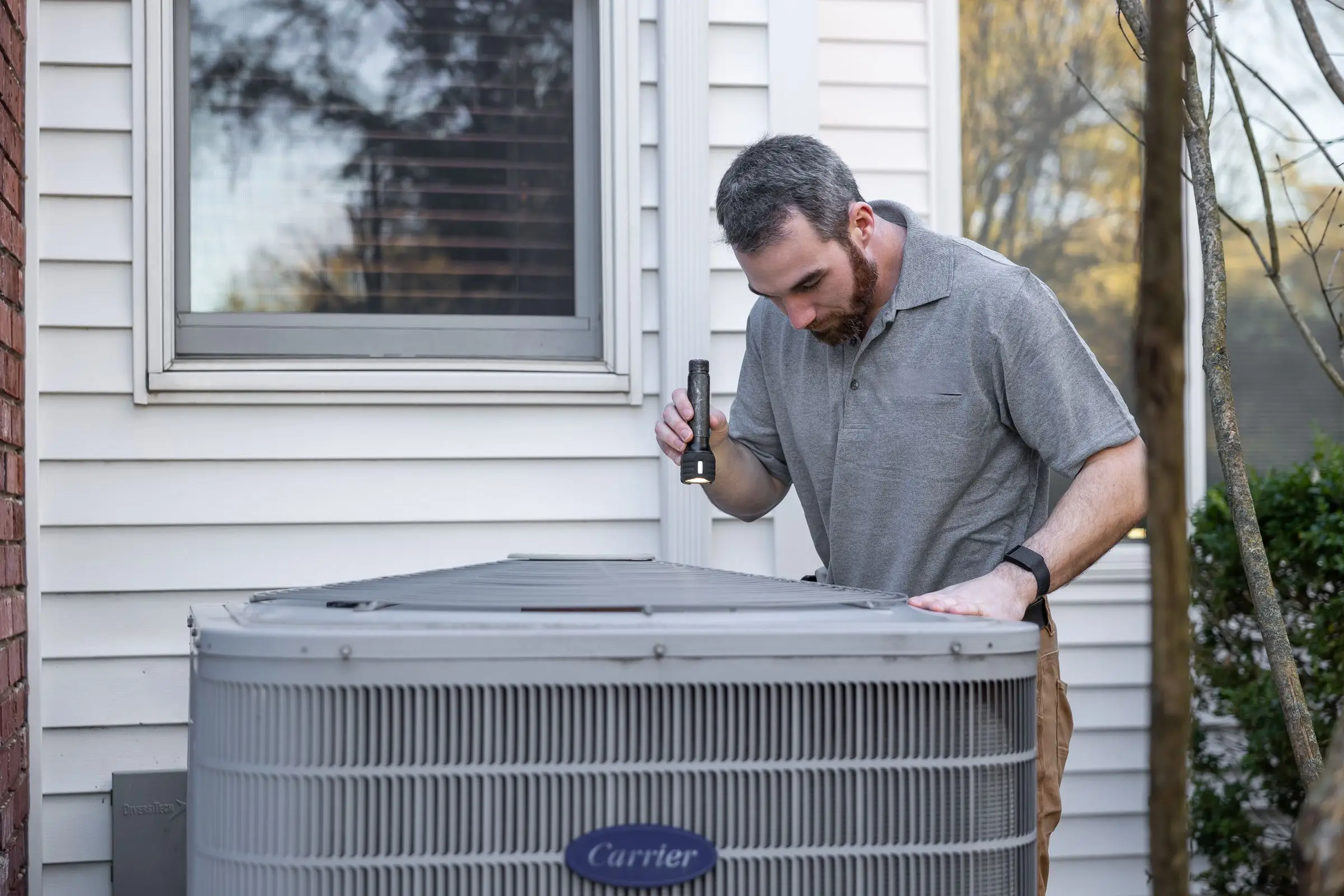
HVAC technician using a flashlight to inspect an outdoor air conditioning condenser beside a house
Photo: Kathleen Austin Kuhn / Pexels

Our picks at a glance

Ranked by fit for this buyer. Prices from vendor pricing pages, checked Oct 18, 2026.

  1. Jobber logo

    1.JobberTop pick

    Best overall

    From $29/mo

    billed annually

    4.1out of 5
  2. Housecall Pro logo

    2.Housecall Pro

    Best for flat-rate invoices

    From $59/mo

    billed annually

    4.1out of 5
  3. ServiceTitan logo

    3.ServiceTitan

    Best for commercial accounts

    Quote only

    price on request

    3.8out of 5
  4. QuickBooks Online logo

    4.QuickBooks Online

    Best for invoices-only shops

    From $38/mo

    billed monthly

    4.5out of 5
  5. Workiz logo

    5.Workiz

    Best for repair-call volume

    Quote only

    price on request

    3.8out of 5

Our picks, in detail

Jobber logo

Our pickBest overall

Jobber

The easiest all-rounder for small residential crews

4.1out of 5

Jobber does the unglamorous parts of invoicing better than most. On Connect, invoices chase themselves with automatic follow-ups, customers can save a card for automatic payment, and everything syncs to QuickBooks Online. Customers pay from a client hub where they can see past invoices, which cuts the "can you resend that?" calls. Card payments are 2.9% + 30¢, Tap to Pay on a phone is 2.7% + 30¢, and ACH bank payments are 1%, as of October 2026. Instant payouts cost another 1%. For a small HVAC shop doing mostly residential service, that covers most invoicing days. The gaps are HVAC-specific: no flat-rate pricebook feeding invoice lines and no dedicated maintenance agreement billing.

What we like

  • Automatic invoice follow-ups and saved-card payments on Connect
  • Client hub shows customers every invoice in one place
  • Tap to Pay at 2.7% + 30¢ and ACH at 1%

Watch out for

  • No membership billing module; agreements run as recurring work
  • Price climbs fast past five users and with add-ons
Housecall Pro logo

Best for flat-rate invoices

Housecall Pro

Strong marketing tools and a fast mobile app

4.1out of 5

Housecall Pro builds the invoice from the same price book the tech quoted from, so a capacitor swap invoices at the price the customer approved without anyone retyping it. Card processing starts at 2.59% and ACH is 1% (as of October 2026), which is a little cheaper than Jobber's card rate on large repair tickets. Consumer financing is on every plan, which helps when a $1,900 compressor repair turns into "can I pay that over time?" Recurring Service Plans on MAX handle agreement billing, and QuickBooks Online sync starts on Essentials ($149/mo billed annually, 5 users). The weak spot is that some of what you want sits on the $299/mo MAX plan.

What we like

  • Invoice lines come straight from the price book
  • Card processing from 2.59%, ACH 1%
  • Consumer financing available on every plan

Watch out for

  • Agreement billing needs MAX at $299/mo
  • QuickBooks Online sync is not on Basic
ServiceTitan logo

Best for commercial accounts

ServiceTitan

Heavy-duty platform for established HVAC, plumbing and electrical shops

3.8out of 5

ServiceTitan is built for volume billing: hundreds of membership renewals, commercial accounts with multiple locations, and an accounting person who reviews and batches invoices before they post. Its help docs describe invoices and purchase orders being batched, posted and exported to QuickBooks, which is the controlled process a bigger office wants. It's overkill for a shop that just needs to send a link and get paid. Pricing is quote only, per technician; third-party estimates put it around $245 to $500 per tech per month plus implementation (not published by the vendor). Payment processing rates aren't published on its pricing page.

What we like

  • Handles membership renewals and multi-site commercial billing at scale
  • Invoice review and batch export to accounting

Watch out for

  • Quote only, with long onboarding reported by users
  • Expensive for invoicing alone
QuickBooks Online logo

Best for invoices-only shops

QuickBooks Online

The books your accountant already knows

4.5out of 5

If you're a one-truck installer who schedules from a paper calendar and only needs clean invoices and books, QuickBooks Online alone may be enough for now. Simple Start is $38/mo for one user and Essentials is $85/mo for three, as of October 2026. You get invoices, estimates and online payments, and your accountant already knows it. What you don't get is anything tied to the job: no dispatch, no technician app, no equipment records, no price book on a tablet. The day you hire a second tech, you'll want a field service tool feeding invoices into QuickBooks instead.

What we like

  • Invoices and books in one place, accountant-friendly
  • Every field service tool here syncs to it

Watch out for

  • No scheduling, dispatch or technician app
  • Users commonly report repeated price increases
Workiz logo

Best for repair-call volume

Workiz

Built-in phones and call tracking for on-demand service work

3.8out of 5

Workiz handles invoicing and payments inside a system built around the phone, which suits HVAC shops that run on repair calls from ads. A call becomes a job, the job becomes an invoice, and you can trace which ad produced the revenue. Inventory and job costing are included, so parts on an invoice can come off stock. Pricing went quote only in 2026; a third-party record shows the last published list price was $275/mo for five users on Standard (April 2026). Phone, answering and marketing tools are sold separately, and users mention occasional sync glitches in the mobile app.

What we like

  • Call-to-invoice tracking shows revenue by lead source
  • Parts on invoices can draw from inventory

Watch out for

  • Quote-only pricing as of October 2026
  • Users report occasional mobile app sync glitches

What HVAC shops need from invoicing software

A residential repair invoice is the easy part. The tech closes the job on the tablet, the customer signs and taps a card, and the payment is on its way to your bank. Any tool on this page does that. The harder invoices are the ones that pay the bills in an HVAC shop, and they're where software choices start to matter:

  • Install deposits and balances. A changeout usually has a deposit at signing and a balance at startup. The software should request the deposit from the signed proposal, then credit it on the final invoice automatically.
  • Membership billing. Agreement revenue is either annual payments up front or monthly autopay. Either way, it should bill without anyone in the office remembering to run it, and the member discount should apply to repair invoices on its own.
  • Commercial accounts. A restaurant group or property manager wants a PO number on every invoice, net-30 terms and sometimes one statement across several locations.
  • Warranty work. The manufacturer covers the part, the customer owes labor and a refrigerant charge, and you're filing a claim with the distributor. The invoice needs to show $0 for the part without losing track of what it cost you.
  • Diagnostic fees that convert. Plenty of shops charge a diagnostic fee and waive it if the customer approves the repair. Your invoice should handle that credit cleanly instead of making the tech remember.

Then there's timing. The cheapest invoice to collect is the one paid before the tech backs out of the driveway. Every invoice that goes out by email later becomes an office task: a reminder at 7 days, another at 14, a phone call at 30. Say you run 300 service calls a month and collect 80% on site. That's 60 invoices to chase. Get on-site collection to 95% and it's 15. Look for software that makes payment the default last step on the tech's screen, with tap-to-pay, saved cards and a financing option for big repairs, and that sends reminders on a schedule so nobody has to.

Sales tax is the other wrinkle. Some states tax equipment and labor differently, and the rules on installed systems vary a lot from state to state. Set tax rates per item, not per invoice, and have your accountant confirm the setup once.

How the picks compare

The split here is between tools that are good at getting paid and tools that are good at HVAC.

Jobber is the best at getting paid. Its follow-ups, autopay and client hub reduce the number of invoices sitting past 30 days, and that matters more to a three-truck shop's cash flow than any HVAC-specific feature. Housecall Pro is close behind and better on the HVAC side: invoice lines come from a flat-rate price book, and agreement billing is built in on MAX. If most of your revenue is maintenance agreements and repairs, Housecall Pro probably edges ahead. If it's a mix of repairs and installs billed to homeowners, Jobber's collection tools win.

ServiceTitan earns its place for shops with a dedicated billing person, lots of members and commercial accounts. QuickBooks Online on its own is a stopgap for one truck: fine for invoices, but the tech can't close a job and take payment from a work order, because there isn't one. Workiz suits repair-heavy shops that want call tracking tied to revenue, and since it includes inventory, parts on the invoice can come off stock. Its quote-only pricing makes it harder to compare.

If you run more than one trade, our roundup of invoicing software for contractors covers the options across every trade we review.

What to look for before you sign

  • Run a full install through the trial. Proposal, deposit, change order, final invoice with the deposit credited. If any step needs a workaround, you'll do that workaround 200 times a year.
  • Check the card rate and payout timing. Ask what standard payouts take and what instant payouts cost. Jobber charges an extra 1% for instant.
  • Test autopay for agreements. Store a card on a test customer, set a monthly agreement and confirm it charges without office work.
  • Confirm what syncs to QuickBooks. Invoices, payments, deposits, refunds and fees. Deposits and processing fees are where reconciliations go wrong.
  • Look at the customer's side. Open an invoice link on your own phone. If it's confusing for you, it's confusing for a 75-year-old homeowner.
  • Ask about commercial features. PO fields, net terms and statements by location, if you do any commercial work.

What it costs

Prices are as of October 2026, billed annually. The plan that matters for invoicing on Jobber is Connect, because Core doesn't include automatic follow-ups or saved-card payments.

Shop size Jobber Connect Housecall Pro QuickBooks Online
1 user $99/mo Basic $59/mo Simple Start $38/mo
5 users $149/mo Essentials $149/mo Plus $140/mo
15 users $299/mo MAX with 7 extra users, about $544/mo Advanced $340/mo

QuickBooks Online prices are monthly list prices; Intuit runs introductory discounts for the first three months. ServiceTitan and Workiz are quote only.

Card fees will cost more than the software. On $50,000 a month in card payments, Jobber's 2.9% comes to $1,450 before per-transaction fees, and Housecall Pro's starting rate of 2.59% comes to $1,295. Moving half of that volume to ACH at 1% saves several hundred dollars a month on either platform.

Related guides

Questions owners ask

What should an HVAC invoice include?

Customer and service address, date, technician, the equipment worked on (make, model and serial), a plain description of the work, each part and labor line, any member discount, tax as your state requires, payment terms and warranty notes. For refrigerant work, many shops also note the type and amount added. A clear invoice heads off callbacks and makes warranty claims easier months later.

Should HVAC companies take deposits on installs?

Most do. A deposit at signing covers equipment you're about to order and confirms the customer is serious. Common practice is a deposit at signing and the balance at startup, with the exact split up to you and any state rules on home improvement contracts. Pick software that requests the deposit from the signed proposal so nobody has to remember to send a separate invoice.

How do I lower card processing fees on HVAC invoices?

Push large invoices to ACH. Jobber and Housecall Pro both charge 1% for bank payments versus 2.59% to 2.9% for cards, as of October 2026. On a $10,000 changeout that's roughly $100 by ACH versus $259 to $290 by card. Some shops also add consumer financing for big jobs, but that carries its own per-transaction fee, so compare the cost before you default to it.

How should I bill maintenance agreements?

You can bill annually up front or monthly on autopay. Monthly billing is easier to sell and renews itself, but it needs software that stores a card and runs the charge without office work. Housecall Pro MAX and ServiceTitan handle agreements natively. On Jobber, shops usually set up recurring invoices with autopay and track visits separately. Ask your accountant how to book annual prepayments.

Can I invoice commercial HVAC customers with PO numbers and net terms?

Yes, but check how each tool handles it. Commercial customers often need a PO number on every invoice, one bill covering several locations and net-30 terms. ServiceTitan is the strongest here. Jobber and Housecall Pro handle basic commercial invoices, but multi-location billing for a property manager takes more manual work. Test one real commercial account during the trial.