Skip to content
BlueCollarStacks

Best HVAC Accounting Software

QuickBooks Online Plus is the right ledger for most HVAC shops, paired with a field service tool that does job costing. ServiceTitan does the deepest job costing but costs far more than the books themselves.

By BlueCollarStacks EditorialUpdated

We may earn a commission from links on this page. How we make money

The short answer

Our pick

QuickBooks Online is the best accounting system for most HVAC shops.

Every field service tool on this page syncs to it, your accountant already knows it, and the Plus plan ($140/mo, 5 users) adds project profitability and inventory. Pair it with Housecall Pro or Jobber for job-level costing. Shops past ten techs that want job costing, memberships and payroll in one place should look at ServiceTitan.

QuickBooks Online logo

QuickBooks Online

Most trade businesses

From $38/mo billed monthly

30-day free trial ยท checked Oct 18, 2026

HVAC accounting has three questions most generic setups can't answer: what did that changeout actually make after equipment, labor, permit and the crane, are you making more on equipment or on labor, and how much of the agreement money in the bank is already spent on tune-ups you still owe. The answer is usually two systems that talk to each other, a ledger and a field service tool. This page is part of our hvac software guide and ranks six options for that job, with October 2026 prices.

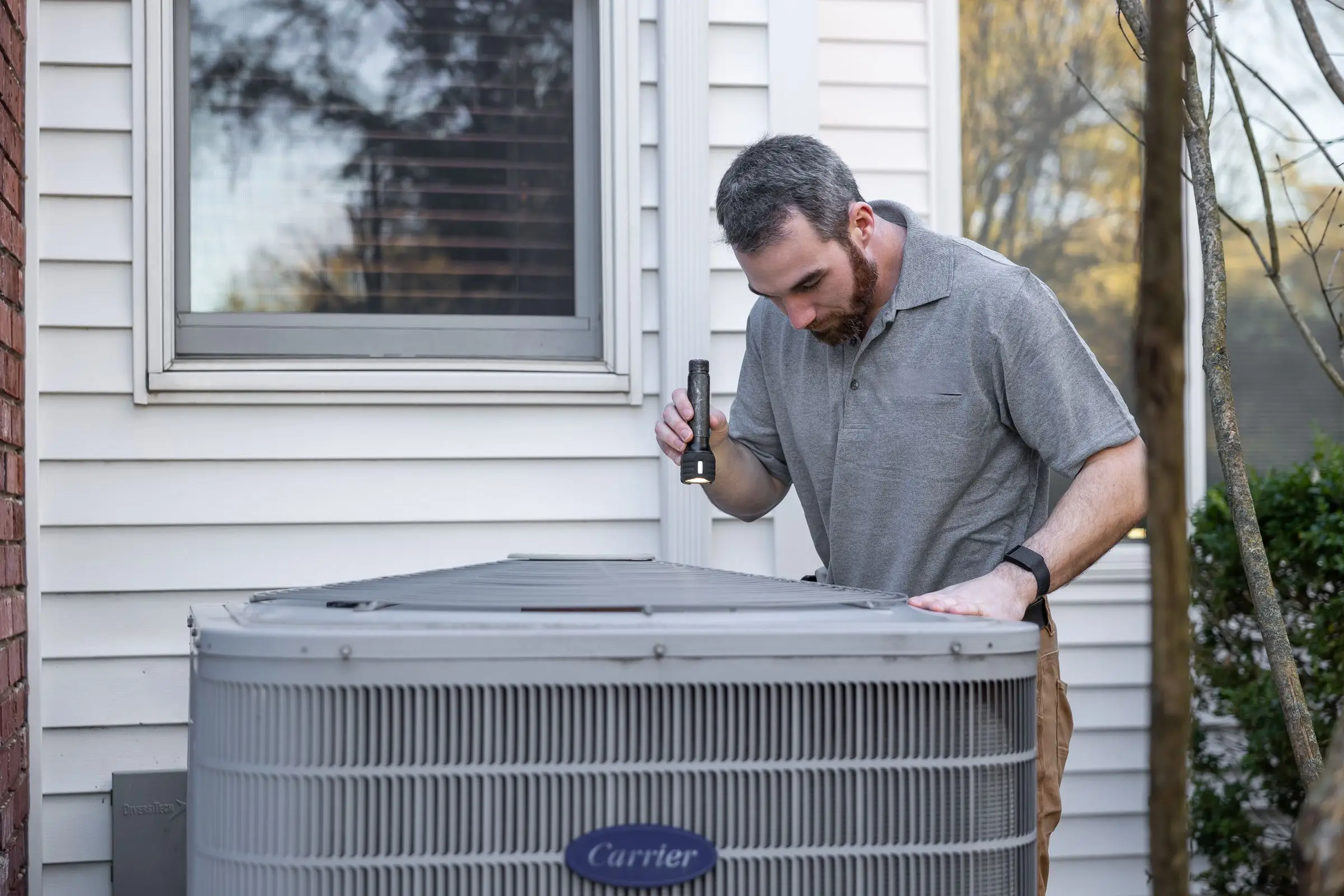
HVAC technician using a flashlight to inspect an outdoor air conditioning condenser beside a house
Photo: Kathleen Austin Kuhn / Pexels

Our picks at a glance

Ranked by fit for this buyer. Prices from vendor pricing pages, checked Oct 18, 2026.

  1. QuickBooks Online logo

    1.QuickBooks OnlineTop pick

    Best overall ledger

    From $38/mo

    billed monthly

    4.5out of 5
  2. ServiceTitan logo

    2.ServiceTitan

    Best job costing at scale

    Quote only

    price on request

    3.8out of 5
  3. Housecall Pro logo

    3.Housecall Pro

    Best budget job costing

    From $59/mo

    billed annually

    4.1out of 5
  4. FieldEdge logo

    4.FieldEdge

    Best for QuickBooks Desktop

    Quote only

    price on request

    3.4out of 5
  5. Jobber logo

    5.Jobber

    Best for owner-run shops

    From $29/mo

    billed annually

    4.1out of 5
  6. Workiz logo

    6.Workiz

    Best for repair-heavy shops

    Quote only

    price on request

    3.8out of 5

Our picks, in detail

QuickBooks Online logo

Our pickBest overall ledger

QuickBooks Online

The books your accountant already knows

4.5out of 5

QuickBooks Online is the default for HVAC books for one practical reason: every field service tool here syncs to it, and almost every contractor-focused bookkeeper works in it. Plus ($140/mo, 5 users, as of October 2026) is the plan HVAC shops should start on, because it adds project profitability and inventory tracking, which is how you see job-level margins in the ledger. Advanced ($340/mo, up to 25 users) adds automated revenue recognition, which Intuit says can schedule deferred revenue. That's useful if you sell prepaid annual maintenance agreements in volume. It is not a field service system. Your techs don't use it, and job costing is only as good as the data the field tool sends over.

What we like

  • Syncs with every field service tool on this page
  • Plus adds project profitability and inventory
  • Advanced handles deferred revenue for prepaid agreements

Watch out for

  • Job costing requires Plus or higher
  • Users commonly report repeated price increases
ServiceTitan logo

Best job costing at scale

ServiceTitan

Heavy-duty platform for established HVAC, plumbing and electrical shops

3.8out of 5

ServiceTitan keeps the job cost on the job: technician time, materials pulled from truck stock, purchase orders, equipment and commissions all land on the work order, so you can see the margin on every changeout without exporting anything. Memberships are native, which makes agreement revenue and visits owed easier to track, and The Works plan adds configurable payroll. Its help docs describe purchase orders being batched, posted and exported to QuickBooks, so most shops still keep QuickBooks as the ledger. Pricing is quote only. Third-party estimates put it around $245 to $500 per technician per month, with implementation in the thousands (not published by the vendor).

What we like

  • Job costing with materials, POs, labor and commissions on each job
  • Native memberships for tracking agreement revenue and visits
  • Payroll available on The Works plan

Watch out for

  • Quote only; third-party estimates $245 to $500 per tech per month
  • Owners commonly report long onboarding and renewal increases
Housecall Pro logo

Best budget job costing

Housecall Pro

Strong marketing tools and a fast mobile app

4.1out of 5

Housecall Pro includes job costing on its cheapest plan, Basic ($59/mo billed annually, one user), which is rare. You can see revenue against labor and materials per job before you've paid for anything fancy. QuickBooks Online sync starts on Essentials ($149/mo, 5 users), and commissions tracking is on Essentials too, which matters if your techs earn a percentage on equipment sales. Recurring Service Plans on MAX ($299/mo, 8 users) give you a record of members and visits for agreement accounting. Users commonly report that Housecall Pro's job costing and reporting are lighter than enterprise tools, so don't expect overhead allocation or work-in-progress reports.

What we like

  • Job costing included even on Basic
  • Commissions tracking on Essentials
  • QuickBooks Online sync from $149/mo

Watch out for

  • No QuickBooks sync on Basic
  • Job costing is lighter than ServiceTitan's
FieldEdge logo

Best for QuickBooks Desktop

FieldEdge

Long-time HVAC and plumbing favorite with deep QuickBooks ties

3.4out of 5

FieldEdge is the pick if your bookkeeper won't leave QuickBooks Desktop. Its QuickBooks connection covers Online and Desktop, and the vendor describes it as real time rather than an end-of-day batch. Customers, invoices, payments and pricebook items stay in step. Third-party reviews note that warehouse inventory sync needs QuickBooks Desktop Enterprise with Advanced Inventory on FieldEdge's Elite plan, so check that before you assume it. Pricing is quote only; third-party estimates put it around $100 to $150 per technician per month (not published by the vendor). There's no free trial.

What we like

  • QuickBooks Online and Desktop connection the vendor calls real time
  • Built for HVAC with flat-rate pricebook and service agreements

Watch out for

  • No free trial and no published pricing
  • Users commonly report occasional QuickBooks sync issues
Jobber logo

Best for owner-run shops

Jobber

The easiest all-rounder for small residential crews

4.1out of 5

Jobber's job costing arrives on Grow ($149/mo billed annually for one user, $229/mo for five, as of October 2026), along with automatic time tracking, which feeds labor cost onto each job. Connect ($99/mo for one user) adds QuickBooks Online sync and expense tracking, so receipts from the supply house can be tied to a job. For an owner-operator doing mostly service and a few installs, that's enough to know which jobs paid. The limits show on bigger installs: users commonly report job costing and inventory depth are thinner than trade-specific platforms, and there's no membership module for agreement revenue.

What we like

  • Job costing and automatic time tracking on Grow
  • Expense tracking ties supply-house receipts to jobs

Watch out for

  • Job costing needs Grow; Core has no QuickBooks sync
  • No membership module for agreement revenue
Workiz logo

Best for repair-heavy shops

Workiz

Built-in phones and call tracking for on-demand service work

3.8out of 5

Workiz includes job costing and inventory, so parts used on a repair can come off stock and show on the job's margin, and it syncs with QuickBooks. Its call tracking lets you tie revenue to the ad that produced it, which is a different kind of profit report and a useful one for shops that buy a lot of leads. It's less suited to install-heavy HVAC accounting, where you want equipment, permits and subcontractor costs rolled up per changeout. Pricing went quote only in 2026; a third-party record shows the last published list price was $275/mo for five users on Standard (April 2026).

What we like

  • Job costing and inventory included
  • Revenue by lead source through call tracking

Watch out for

  • Quote-only pricing as of October 2026
  • Less suited to multi-day install costing

What HVAC shops need from accounting software

The bank balance in an HVAC shop lies twice a year. In July it looks great because installs are paying and agreement renewals are coming in. In October it looks thin because you're paying for summer's equipment and the tune-ups members already paid for. Accounting software should tell you what's actually yours. For HVAC, that comes down to three things.

Job costing per install. A changeout has more cost lines than a service call: the equipment, the line set and pad, the thermostat, two or three people for a day or two, a permit, maybe a crane or an electrician, and the commission you owe the salesperson. Those costs show up at different times, from different places. The equipment hits on the distributor statement, the labor on payroll, the permit on a credit card. Good software ties them all to the job so you can see the real margin while you can still do something about it.

Equipment versus labor margins. Most HVAC shops make money differently on equipment and on labor, and you can't manage either if they're mixed into one "sales" line. Set up separate income accounts for equipment, installation labor, service labor, parts and agreements. Map every pricebook item to one of them. Then raise prices where the margin is thin instead of across the board.

Maintenance agreement revenue. Say you sell 300 agreements at $240 a year, paid up front. That's $72,000 in the bank, and 600 tune-up visits you still owe. Booking it all as income the day it arrives makes spring look better than it is. Many accountants book prepaid agreements as deferred revenue and recognize it over the term. Monthly autopay plans avoid most of this, which is one reason shops move to them.

The rest is ordinary contractor bookkeeping: distributor warranty credits that need to match the original part purchase, manufacturer rebates and spiffs, and tech commissions that depend on the job closing.

The setup is right when month-end takes an afternoon, not a week. A workable routine for a small shop: reconcile the bank and card accounts, match distributor statements to purchase orders or job materials, review every install closed that month against its estimated margin, and check the agreement count against last month. If the software makes any of those steps a manual export, you'll stop doing it by March.

How the picks compare

Think of it as a ledger plus a field tool, and decide where job costing lives.

QuickBooks Online is the ledger for nearly everyone. Start on Plus for project profitability. Move to Advanced if prepaid agreements are a big part of revenue and you want automated revenue recognition.

For the field side, Housecall Pro is the best value: job costing on every plan and commissions on Essentials. Jobber suits an owner who mainly wants to know which jobs paid. FieldEdge is the answer for QuickBooks Desktop shops. Workiz fits repair-heavy shops that care about revenue by lead source.

ServiceTitan is the one system that can carry most of the accounting picture itself, with job costing, memberships, purchase orders and payroll in one place. That's why bigger shops pay for it. Below about ten techs, the extra cost usually buys more detail than anyone has time to read.

For other trades, our guide to accounting software for contractors covers ledger and payroll picks across every trade we review.

What to look for before you sign

  • Ask what syncs, in which direction. Invoices and payments are standard. Ask about items, classes, deposits, refunds, card fees and purchase orders.
  • Map pricebook items to income accounts during setup. If every item posts to one "Sales" account, you lose the equipment versus labor split for good.
  • Check how card fees post. Processors often deposit the net amount. Your books need the gross sale and the fee booked separately, or reconciliations never tie out.
  • Confirm labor cost reaches the job. Tech hours should land on the job automatically at a loaded rate, not just as hours.
  • Ask your CPA about agreements before go-live. Deferred or not, decide once and set up the sync to match.
  • Count QuickBooks users separately. Techs don't need QuickBooks logins. Plus covers five, which is usually the owner, office and bookkeeper.

What it costs

You're paying for two systems. Prices are as of October 2026; field service plans billed annually, QuickBooks Online at monthly list price (Intuit runs three-month introductory discounts).

Shop size Ledger Field tool with job costing Rough monthly total
1 tech QBO Essentials, $85 Housecall Pro Essentials $149 (QBO sync) or Jobber Grow $149 About $234
5 techs QBO Plus, $140 Housecall Pro Essentials $149 or Jobber Grow $229 $289 to $369
15 techs QBO Plus $140 or Advanced $340 Housecall Pro MAX with 7 extra users, about $544 $684 to $884

A 15-tech shop on ServiceTitan would add third-party estimates of $3,675 to $7,500 a month for the field side alone (not published by the vendor), plus QuickBooks if you keep it as the ledger.

Note the sync trap at the low end: Jobber Core and Housecall Pro Basic don't include QuickBooks Online sync, so a shop that wants clean books needs the next plan up. Payroll is extra in every setup above.

Related guides

Questions owners ask

What's the best accounting software for an HVAC company?

For most shops, QuickBooks Online Plus as the ledger plus a field service tool that sends job-level data into it. QuickBooks is what your bookkeeper knows and what every field service tool syncs to. The field tool is where job costing actually happens, because that's where techs log time and parts. ServiceTitan can do more of it in one place, at a much higher price.

How should an HVAC company account for maintenance agreements?

If customers prepay for a year, much of that money is for visits you still owe, so many accountants book it as deferred revenue and recognize it as visits are completed or over the agreement term. QuickBooks Online Advanced has automated revenue recognition for this. Monthly autopay agreements are simpler. Either way, ask your CPA how they want it booked before you set up the sync.

How do I see equipment margins separately from labor?

Use separate income accounts or items for equipment sales, installation labor, service labor, parts and agreement revenue, and map your field service pricebook items to them. Then your profit and loss shows each line. Do the same on the cost side: equipment purchases, parts and direct labor. Once the split is visible, pricing decisions get a lot easier.

Can I use Xero instead of QuickBooks for HVAC?

You can. Xero has unlimited users on every plan, and Established ($97/mo as of October 2026) includes project time and cost tracking. The catch is integrations: most HVAC field service tools are built around QuickBooks first, and fewer US contractor bookkeepers work in Xero. Confirm your field service tool syncs with Xero, and what it syncs, before you switch.

Do I need job costing if I'm a small HVAC shop?

Yes, at least for installs. A changeout can look profitable on the invoice and lose money once you add a second day of labor, a permit, a callback and the line set you forgot to bill. Even a one-truck shop should check the actual margin on every install. Housecall Pro includes job costing on Basic, and Jobber has it on Grow.

Should payroll run through my field service software?

Only if it saves you real work. Timecards from the field tool should flow into payroll so nobody retypes hours, and commissions on equipment sales need to land on the right check. ServiceTitan's The Works plan includes payroll. Most smaller shops run a separate payroll provider or QuickBooks Payroll and import hours from their field service app.