Skip to content
BlueCollarStacks

Best Electrical Field Service Management Software

Housecall Pro is the best fit for most residential electrical shops of two to eight techs. Commercial subs should look at Knowify, and big service shops at ServiceTitan.

By BlueCollarStacks EditorialUpdated

We may earn a commission from links on this page. How we make money

The short answer

Our pick

Housecall Pro is the best electrical field service software for most small residential shops.

It's easy to roll out to techs, the pricing is published, and estimates, jobs, invoices and payments live in one app. Shops doing mostly commercial work with progress billing should pick Knowify, and service shops past ten techs with a flat-rate pricebook should price out ServiceTitan.

Housecall Pro logo

Housecall Pro

Owner-operators who sell

From $59/mo billed annually

14-day free trial · checked Oct 18, 2026

An electrical shop's schedule doesn't look like an HVAC or plumbing schedule. You've got same-day service calls stacked next to multi-visit jobs: rough-in, a rough inspection you don't control, then trim-out and a final weeks later. The software has to hold both without losing track of which jobs are waiting on an inspector. We ranked six tools by how well they run that week for a shop of 1 to 25 people. For the wider picture, including estimating and accounting, see our guide to software for electrical contractors.

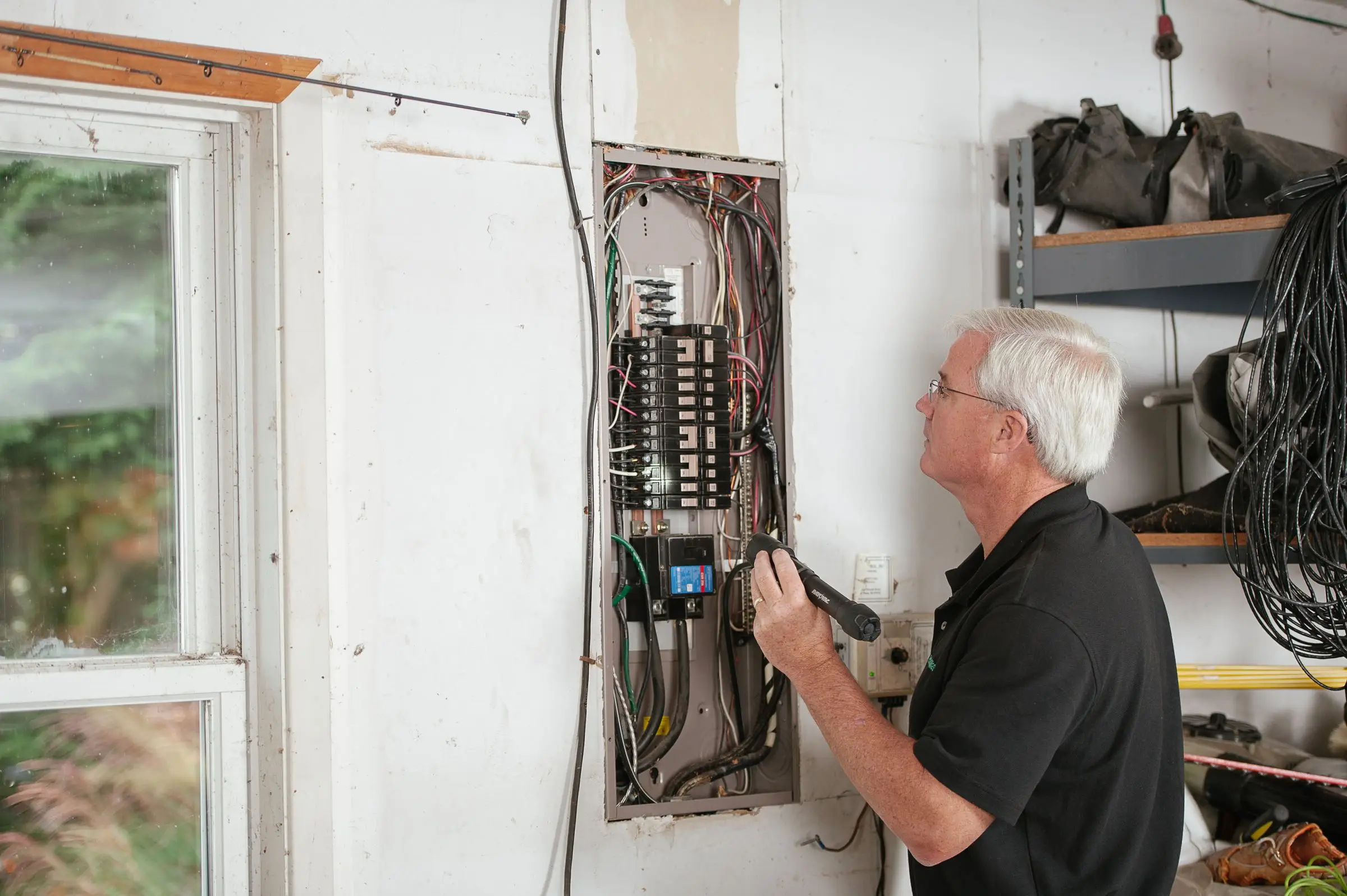
Electrician with a flashlight inspecting the breakers in an open residential electrical panel in a garage
Photo: Kathleen Austin Kuhn / Pexels

Our picks at a glance

Ranked by fit for this buyer. Prices from vendor pricing pages, checked Oct 18, 2026.

  1. Housecall Pro logo

    1.Housecall ProTop pick

    Best overall for residential

    From $59/mo

    billed annually

    4.1out of 5
  2. ServiceTitan logo

    2.ServiceTitan

    Best for 10+ tech service shops

    Quote only

    price on request

    3.8out of 5
  3. Knowify logo

    3.Knowify

    Best for commercial subs

    From $99/mo

    billed annually

    3.9out of 5
  4. Jobber logo

    4.Jobber

    Best for 1 to 3 trucks

    From $29/mo

    billed annually

    4.1out of 5
  5. FieldEdge logo

    5.FieldEdge

    Best for QuickBooks offices

    Quote only

    price on request

    3.4out of 5
  6. Workiz logo

    6.Workiz

    Best for emergency call volume

    Quote only

    price on request

    3.8out of 5

Our picks, in detail

Housecall Pro logo

Our pickBest overall for residential

Housecall Pro

Strong marketing tools and a fast mobile app

4.1out of 5

Housecall Pro fits the shop that does panel upgrades, EV chargers, remodel wiring and troubleshooting calls for homeowners. Scheduling and dispatch are drag-and-drop, techs see the job, notes and photos on their phones, and the estimate the tech wrote on site becomes the job and then the invoice. Multi-visit jobs work well enough for rough and trim, though it isn't a true project tool with phases and budgets. Pricing as of October 2026: Basic $59/mo (1 user), Essentials $149/mo (up to 5 users) and MAX $299/mo (up to 8 users), billed annually, with extra MAX users at $35/mo. Card processing starts at 2.59%. Owners commonly report that the features they want most sit on MAX and that support response times are uneven.

What we like

  • Fast to roll out; techs pick up the mobile app quickly
  • Published pricing and a 14-day trial of MAX features
  • Online booking, reviews and marketing built in

Watch out for

  • Job costing and reporting are lighter than ServiceTitan
  • Best features sit on the $299/mo MAX plan
  • Support response times are reported as inconsistent
ServiceTitan logo

Best for 10+ tech service shops

ServiceTitan

Heavy-duty platform for established HVAC, plumbing and electrical shops

3.8out of 5

ServiceTitan is what the big residential electrical brands in your market probably run. Its strengths are call booking, dispatch boards built for a lot of trucks, flat-rate pricebook management (Pricebook Pro is an add-on), memberships and reporting deep enough to tell you which tech sells the most surge protectors. The Works plan adds configurable payroll. It's also the most expensive and slowest to set up. ServiceTitan doesn't publish prices; third-party estimates put it around $245 to $500 per technician per month, with implementation reported in the thousands (not published by the vendor). Owners commonly report a steep learning curve, annual contracts and renewal increases. If you have fewer than eight or ten techs, most of what you'd be paying for will sit unused.

What we like

  • Deepest dispatch, pricebook and reporting tools on this list
  • Memberships and payroll in the same system
  • Handles both residential and commercial service

Watch out for

  • Quote only; third-party estimates of $245 to $500 per tech per month
  • Implementation fees and a long onboarding
  • Marketing, phones and pricebook tools cost extra
Knowify logo

Best for commercial subs

Knowify

Job costing and AIA billing for commercial subs

3.9out of 5

Knowify is built for the sub who works for GCs, not homeowners. A bid becomes a contract, the contract gets a budget by phase, time and materials post against it, and you bill on AIA-style progress invoices with retainage, then sync it all to QuickBooks. That's the workflow for a tenant buildout or a 40-unit apartment rough-in, and it's where Housecall Pro and Jobber fall down. Pricing as of October 2026: Core $99/mo billed yearly or $149 monthly (1 user), Advanced $329/mo yearly or $399 monthly (10 users), extra users $29/mo. Fleet and equipment tracking are paid add-ons. Users commonly report a learning curve to set up job costing correctly and a mobile app that trails the desktop.

What we like

  • Progress billing and job costing built for subcontract work
  • Tight QuickBooks integration
  • Advanced plan includes 10 users

Watch out for

  • Big jump from Core ($99) to Advanced ($329)
  • Mobile app is weaker than the desktop version
  • Not designed around homeowner service calls
Jobber logo

Best for 1 to 3 trucks

Jobber

The easiest all-rounder for small residential crews

4.1out of 5

Jobber is the easiest system on this list to get running in a weekend, and the cheapest with published pricing. A one-truck electrician can run quotes, scheduling, invoicing and payments on Core at $29/mo billed annually. Once you add techs you'll want Connect (5 users for $149/mo billed annually) or Grow (5 users for $229/mo), which add team scheduling and more automation. Route optimization helps on days with five or six small service calls across town. The weak spots for electricians are job costing and inventory: there's no way to track a reel of 12/2 from the van to the job, and multi-phase projects get clumsy. Costs climb as you add users and add-ons such as the $99/mo Marketing Suite.

What we like

  • Lowest published entry price and a 14-day trial
  • Clean client hub for approvals and payments
  • Route optimization for days full of small calls

Watch out for

  • Limited inventory and job-costing depth
  • Clumsy for multi-phase rough-in and trim jobs
FieldEdge logo

Best for QuickBooks offices

FieldEdge

Long-time HVAC and plumbing favorite with deep QuickBooks ties

3.4out of 5

FieldEdge has been around a long time in the HVAC, plumbing and electrical service world, and its pitch is a flat-rate pricebook, service agreements and close QuickBooks integration. That last part matters if your bookkeeper lives in QuickBooks and doesn't want a second system of record. Plans are Select, Premier and Elite, which include 2, 4 and 6 mobile app licenses, and every plan comes with an onboarding specialist. Pricing is quote only. Third-party estimates, including one from a competitor, put it around $100 per office user and $125 per technician per month (not published by the vendor). There's no free trial. Users commonly report a dated interface and occasional sync issues with QuickBooks, which is awkward for a product sold on that integration.

What we like

  • Flat-rate pricebook and service agreements
  • Onboarding specialist included on every plan
  • Built for service trades including electrical

Watch out for

  • No free trial and no published pricing
  • Dated interface; QuickBooks sync issues reported
Workiz logo

Best for emergency call volume

Workiz

Built-in phones and call tracking for on-demand service work

3.8out of 5

Workiz suits the shop whose phone drives the day: no-power calls, storm damage, a breaker that won't reset at 7 p.m. Calls, jobs, estimates and invoices sit in one place, and inventory and job costing are included. The phone system (Genius Phone) and AI answering are sold separately, and they're the main reason to choose Workiz over Jobber. Workiz moved to quote-only pricing in 2026 for its Standard, Pro and Ultimate plans, so expect a sales call; there is a 7-day free trial. It's less suited to project work with long gaps between rough and trim. Users commonly report occasional sync glitches in the mobile app, which matters when a tech is closing out a job from a basement with one bar of signal.

What we like

  • Call-to-invoice flow suits emergency service
  • Inventory and job costing included
  • 7-day free trial

Watch out for

  • Quote-only pricing since 2026
  • Phone and answering features cost extra
  • Occasional mobile sync glitches reported

What electrical shops need from field service software

Electrical work runs on two clocks. Service calls are short and unpredictable: a dead circuit, a flickering kitchen, a tripped GFCI that won't reset. Project work is long and lumpy: rough-in, a rough inspection on the inspector's schedule, insulation and drywall by someone else, then trim-out, then final. A shop with six people usually has both going at once, and the software has to show which is which at a glance.

Here's what that means in practice:

  • Multi-visit jobs with a hold in the middle. You need to mark a job as waiting on inspection, keep the permit number on it, and get a reminder to schedule trim. Otherwise those jobs disappear until the GC calls asking why the house has no devices.
  • Job costing that includes your material. A panel upgrade can carry $800 or more in parts. If the tech's time and the material pulled from the van don't land on the job, you can't tell which jobs made money.
  • Photos and notes per address. Pictures of the panel, the meter base and the service drop save a second trip and settle arguments with the utility or the homeowner later. A note that says "Federal Pacific panel, quoted replacement, declined" is worth having when that customer calls back.
  • Estimates that turn into jobs. Whether the quote came from a takeoff tool or a tablet in a living room, the approved number should become the job's budget without retyping.
  • Progress billing, if you do commercial work. GCs pay on a schedule of values with retainage. Homeowner-focused apps don't do this well, and it's the main reason commercial subs end up on Knowify or construction accounting.

How the picks compare

The six tools sort into three groups.

Residential service apps (Housecall Pro, Jobber, Workiz). These are quick to set up and built around a homeowner calling, booking, approving and paying. Housecall Pro takes the top spot because it handles a residential electrical week well at a published price, and its marketing and review tools help a shop that lives on Google. Jobber is the better buy for one to three trucks, mainly on price. Workiz earns a spot for emergency-heavy shops that want calls and jobs in one system, but its 2026 move to quote-only pricing removes one of the reasons people picked it.

Service platforms for larger shops (ServiceTitan, FieldEdge). Both lean on flat-rate pricebooks and service agreements. ServiceTitan is far deeper and far more expensive. FieldEdge sits between Housecall Pro and ServiceTitan on depth and is aimed at offices that run their books in QuickBooks. Neither publishes pricing, and FieldEdge has no free trial, so you're buying off a demo.

Project tools for commercial subs (Knowify). Knowify is the odd one out and the right answer for a specific shop: one that bids GCs, signs contracts, bills progress and needs to know whether job 2417 is over budget on labor. It's weaker for same-day residential service.

A lot of shops grow into a split setup: a takeoff tool for bids, plus one of these for everything after the contract. If you also run HVAC or plumbing crews, or you're comparing tools across trades, start from our roundup of field service management software.

What to look for before you sign

  • Build a rough-and-trim job in the trial. Create one job with two visits and a hold between them. If the software can't show "waiting on inspection" clearly, you'll lose jobs in the gap.
  • Count the logins you'll actually pay for. Jobber and Housecall Pro charge by user bracket, Knowify includes 10 users on Advanced, and FieldEdge counts mobile licenses (2, 4 or 6 by plan). Include your office manager and any part-time estimator.
  • Check van inventory before you need it. If you stock vans, pick a tool that tracks inventory now. Adding it later means a painful re-count.
  • Ask how the QuickBooks sync handles job costs. Some tools sync invoices and payments only. You want labor and material costs flowing to the right job or class too.
  • Get add-ons in writing. ServiceTitan's pricebook, marketing and phone tools are extras; Workiz sells phone and answering separately; Knowify sells fleet and equipment tracking per vehicle.
  • Plan the switch around your slow season. Moving systems in the middle of a new-construction push is miserable. Most electrical shops are quieter in late winter.

What it costs

Prices are as of October 2026, billed annually unless noted, before card processing fees.

Shop size Jobber Housecall Pro Knowify ServiceTitan
1 user $29/mo (Core) $59/mo (Basic) $99/mo (Core) Not built for one tech
5 users $149/mo (Connect) or $229/mo (Grow) $149/mo (Essentials) $329/mo (Advanced, 10 users) Roughly $1,225 to $2,500/mo (third-party estimate)
15 users $299/mo (Connect) or $399/mo (Grow) About $544/mo (MAX + 7 users at $35) About $474/mo (Advanced + 5 users at $29) Roughly $3,675 to $7,500/mo (third-party estimate)

ServiceTitan figures multiply third-party estimates of $245 to $500 per technician per month and leave out implementation. FieldEdge and Workiz are quote only. For FieldEdge, third-party estimates of about $125 per technician and $100 per office user would put a five-tech shop with one office user near $725/mo, but treat that as a rough guide, not a quote.

The cost that doesn't show in the table is card processing. A residential shop running $60,000 a month through Jobber at 2.9% + 30¢ pays about $1,740 a month in card fees before the per-transaction charges, which is more than any subscription here. Push large invoices like service upgrades toward ACH, which Jobber charges at 1%.

Related guides

Questions owners ask

What is the best electrician job management software for a small shop?

For a residential shop of two to eight techs, Housecall Pro is our pick because it's quick to roll out and covers estimates, scheduling, invoicing and payments with published pricing. A one- or two-truck electrician can start cheaper on Jobber Core at $29/mo billed annually. Commercial subs who bill GCs on progress invoices should look at Knowify instead.

Can field service software track permits and inspections?

Not as a dedicated module in most of these tools. The common workaround is a job status or tag such as 'waiting on rough inspection', a custom field for the permit number, and a follow-up visit scheduled once the inspection passes. Set that up on day one, because rough-in jobs that stall waiting on an inspector are the ones that fall off the board and never get trimmed out or invoiced.

Is ServiceTitan worth it for an electrical contractor?

For a service shop with ten or more techs, a call center and a flat-rate pricebook, it can be. Below that, most owners pay for depth they don't use. ServiceTitan doesn't publish prices; third-party estimates put it around $245 to $500 per technician per month plus implementation. Get a written quote including add-ons and renewal terms before signing an annual contract.

What software do commercial electrical contractors use for project management?

Small commercial subs often pair a takeoff tool such as McCormick or ConEst for bids with a job-costing tool such as Knowify for contracts, budgets and progress billing. Bigger commercial contractors move to construction platforms and construction accounting. Residential-first apps like Housecall Pro and Jobber can handle light commercial service, but they aren't built for retainage, schedules of values or AIA billing.

Do electricians need inventory tracking in their job software?

If you stock vans with wire, breakers, devices and boxes, yes, or your job costs are guesses. ServiceTitan, Workiz, FieldEdge and Knowify include inventory features. Jobber and Housecall Pro are lighter here, so shops on those often track only big-ticket items such as panels and EV chargers per job and treat small parts as overhead.